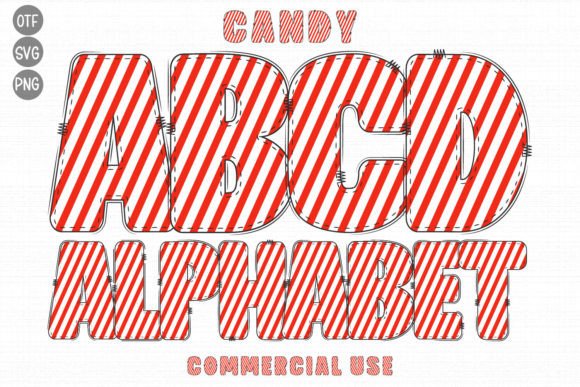
Candy Font Free Download – Windows, Mac, Linux
Candy Font: A Sweet Addition to Your Design Library
Are you looking for a font that can add a touch of whimsy and fun to your designs? Look no further than the Candy Font! This decorative font features a unique candy skin texture that is sure to make your projects stand out. In this article, we’ll take a closer look at the Candy Font, its features, and how you can use it to elevate your designs.
📸 Font Preview Gallery
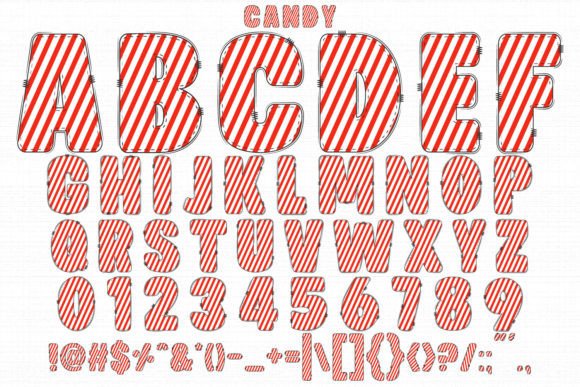

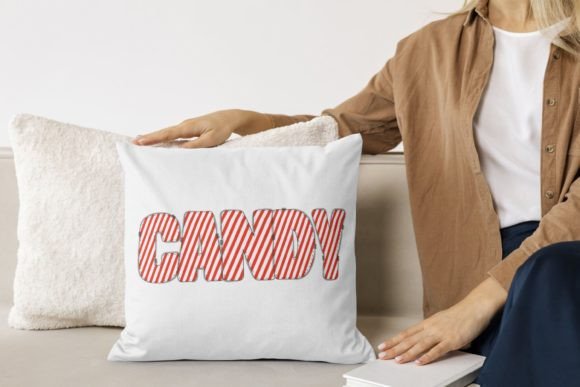

Commercial license included • Instant download • No registration required
A Font that’s as Sweet as Candy
The Candy Font is a one-of-a-kind font that is perfect for nature-themed designs, children’s projects, and any other creation that needs a touch of playfulness. The font features a candy skin texture that gives it a unique and eye-catching look. The texture is reminiscent of candy wrappers, making it perfect for designs that require a fun and playful touch.
Perfect for Designers and Crafters
The Candy Font is an incredible asset to any design library, regardless of the topic or project. Whether you’re a designer, crafter, or DIY enthusiast, this font is sure to inspire your creativity. The font is perfect for a wide range of projects, including:
- Children’s party invitations and decorations
- Nature-themed designs, such as garden signs and wildlife posters
- Craft projects, such as scrapbooking and card making
- Digital designs, such as social media graphics and blog posts
Compatibility with Cutting Machines and Design Software
The Candy Font is available in both black and color versions, each with its own unique compatibility features. The black version of the font is compatible with Cricut Design Space and other cutting machines, making it perfect for crafters and DIY enthusiasts. The color version of the font, on the other hand, is compatible with certain design programs, including:
- PhotoShop
- Illustrator
- Silhouette
- Inkscape
Important Note on Compatibility
It’s essential to note that the color version of the Candy Font is not compatible with Cricut Design Space. The OTF and/or TTF files of the color version are not recognized by Cricut, so it’s best to use the black version if you’re working with Cricut. If you’re unsure about how to use the color version, be sure to check out our Ultimate Font Guide for more information.
Tips for Using the Candy Font
Here are some tips for using the Candy Font in your designs:
- Use the font to add a playful touch to your designs, such as in headings and titles
- Experiment with different colors and textures to make the font truly unique
- Pair the font with other playful fonts to create a fun and whimsical look
- Use the font to create custom signs, posters, and invitations
Candy Font: Access Download Now
| Font Name | Candy Font |
| Author | Cute fonts |
| Download | Access Download Here |
Conclusion
The Candy Font is a sweet addition to any design library. Its unique candy skin texture and playful look make it perfect for a wide range of projects, from nature-themed designs to children’s party invitations. With its compatibility with cutting machines and design software, you can use the Candy Font to create amazing designs that are sure to impress. So why not give it a try and see how it can elevate your designs?