Groovy Daisy Font Free Download – Windows, Mac, Linux
Introducing Groovy Daisy: The Ultimate Spring Font for Designers and Crafters
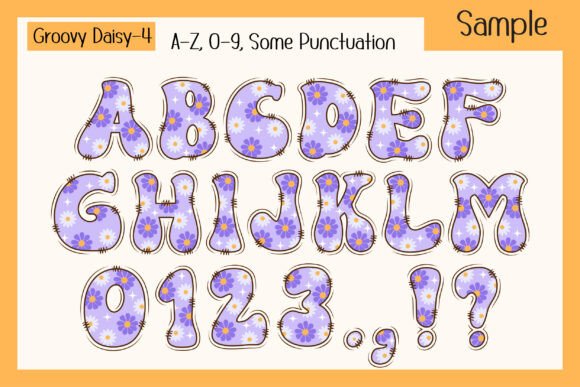
Are you ready to add a burst of brightness and fun to your designs? Look no further than Groovy Daisy, a vibrant spring season font that celebrates the charm of daisies with a retro groovy twist. This cheerful 4-color font is perfect for kid-friendly projects, fun designs, and anything that needs a lively energy boost.
📸 Font Preview Gallery
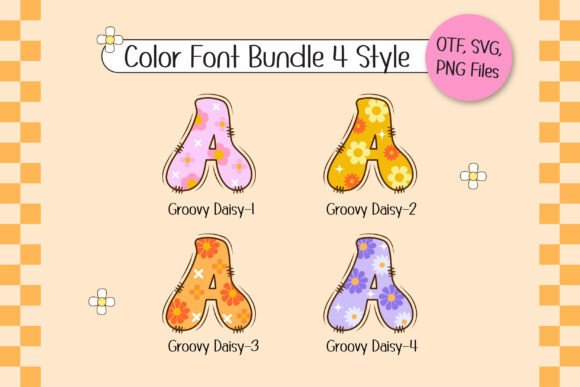
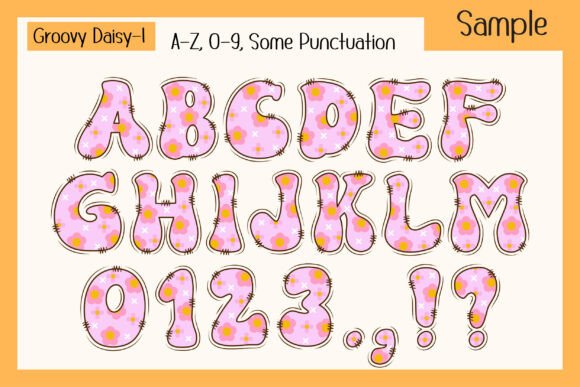
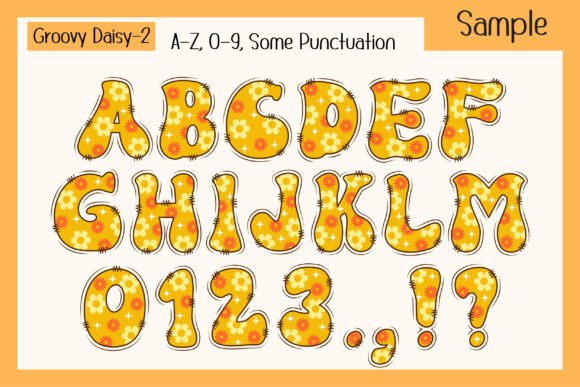
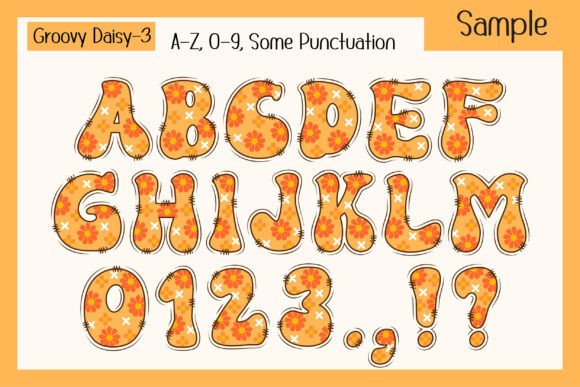
Commercial license included • Instant download • No registration required
What is Groovy Daisy?
Groovy Daisy is a unique and playful font that features cheerful daisy motifs in a fun and colorful design. The font comes in two versions: a black version that is compatible with Cricut Design Space and other cutting machines, and a color version that is perfect for digital designs. The color version of the font is compatible with design programs such as PhotoShop, Illustrator, Silhouette, and Inkscape.
Key Features of Groovy Daisy
- 4-Color Font: Groovy Daisy is a 4-color font that features a unique and playful design. The font comes in a black version and a color version, perfect for a variety of design projects.
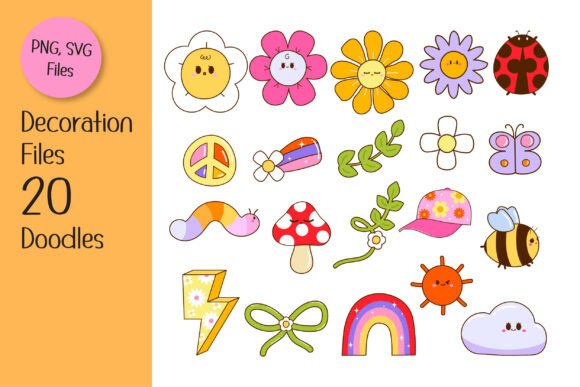
- 20 Matching Doodle Cliparts: The font comes with 20 matching doodle cliparts that can be used to enhance your designs and add an extra touch of fun.
- Retro Groovy Twist: Groovy Daisy has a retro groovy twist that adds a cool and playful vibe to your designs.
- Perfect for Spring Projects: The font is perfect for spring-themed projects, including posters, day quotes, T-shirts, custom names, DIY craft projects, and more.
Uses for Groovy Daisy
Groovy Daisy is a versatile font that can be used for a variety of design projects, including:
- Spring Posters: Create eye-catching posters for spring events, sales, or promotions.
- Day Quotes: Add a burst of energy to your day quotes with the fun and playful design of Groovy Daisy.
- T-Shirts: Create fun and colorful T-shirts for kids and adults alike.
- Custom Names: Use Groovy Daisy to create custom names for kids’ projects, crafts, or party decorations.
- DIY Craft Projects: Add a personal touch to your DIY craft projects, such as scrapbooking, card making, or paper crafting.
Tips for Using Groovy Daisy
Here are a few tips for using Groovy Daisy in your designs:
- Experiment with Colors: Try out different color combinations to create unique and eye-catching designs.
- Mix and Match: Mix and match the font with other design elements, such as patterns, textures, or shapes, to create interesting and dynamic designs.
- Use with Doodle Cliparts: Use the 20 matching doodle cliparts to add an extra touch of fun and personality to your designs.
Compatibility and File Formats
Groovy Daisy is compatible with a variety of design programs and cutting machines, including:
- Cricut Design Space: The black version of the font is compatible with Cricut Design Space and other cutting machines.
- PhotoShop, Illustrator, Silhouette, and Inkscape: The color version of the font is compatible with these design programs.
The font comes in OTF and/or TTF file formats. Note that the color version of the font is not compatible with Cricut Design Space.
Groovy Daisy Font: Access Download Now
| Font Name | Groovy Daisy Font |
| Author | Issie_Studio |
| Download | Access Download Here |
Conclusion
Groovy Daisy is a fun and vibrant spring season font that is perfect for designers and crafters looking to add a burst of brightness and energy to their designs. With its unique and playful design, 20 matching doodle cliparts, and compatibility with a variety of design programs and cutting machines, Groovy Daisy is the ultimate font for spring-themed projects. So why wait? Download Groovy Daisy today and start creating fun and colorful designs that capture the essence of spring!