
Ayuga Font Free Download – Windows, Mac, Linux
Ayuga Font: The Ultimate Display Typeface for Bold Designs
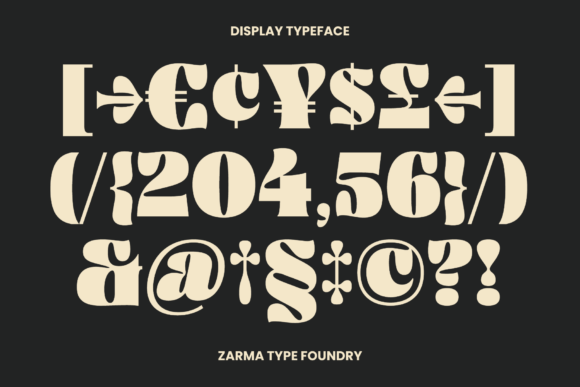
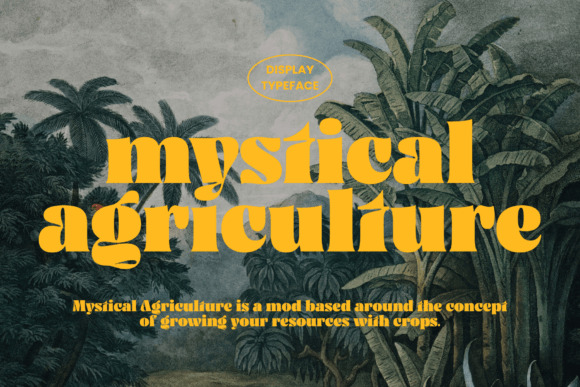
In the world of typography, fonts play a crucial role in making a design stand out from the crowd. For designers and crafters looking to add a touch of retro and psychedelic flair to their work, Ayuga Font is an excellent choice. Inspired by the bold and vibrant typefaces of the past, Ayuga is a display typeface that is sure to make a statement.
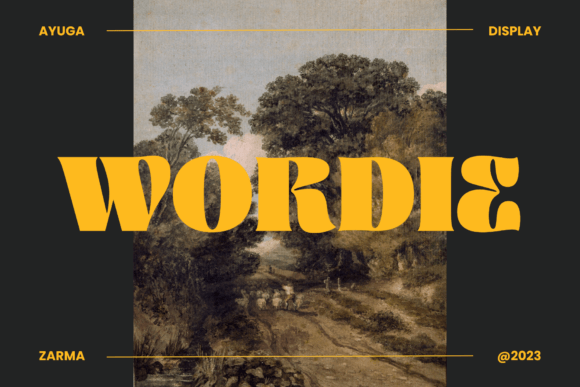
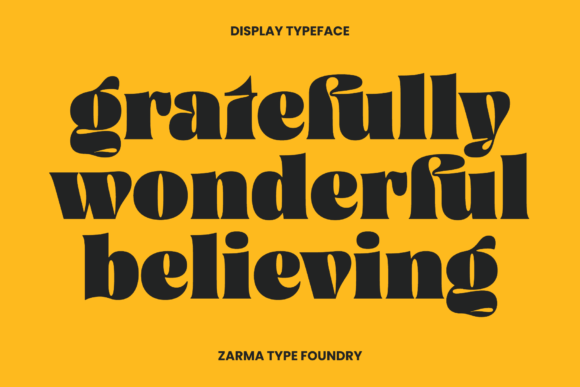
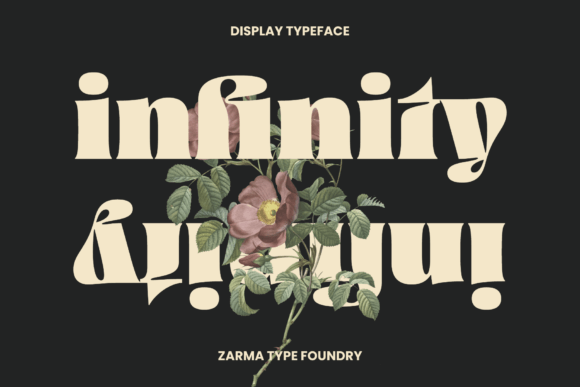
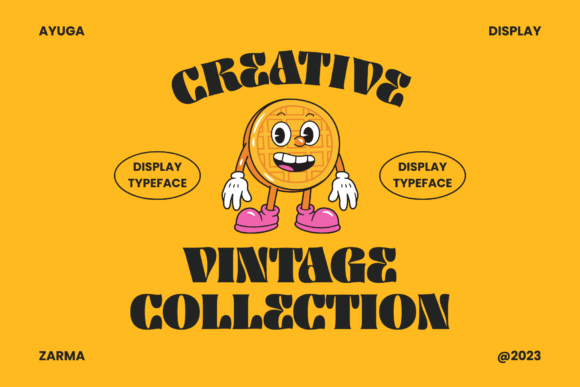
📸 Font Preview Gallery
Commercial license included • Instant download • No registration required
The Inspiration Behind Ayuga
Ayuga Font draws inspiration from the retro and psychedelic typefaces that were popular in the 60s and 70s. During this era, typography was all about experimentation and pushing boundaries. Fonts were bold, colorful, and often featured unusual shapes and patterns. Ayuga captures the essence of this era, with its bold and thick lettering that is sure to grab attention.
Key Features of Ayuga Font
So, what makes Ayuga Font so special? Here are some of its key features:
- Bold and Thick Lettering: Ayuga Font is designed to be bold and thick, making it perfect for headlines, titles, and other display text.
- Retro and Psychedelic Inspiration: Ayuga’s inspiration from retro and psychedelic typefaces gives it a unique and eye-catching look.
- Highly Legible: Despite its bold and thick design, Ayuga Font is highly legible, even at smaller sizes.
- Versatile: Ayuga Font can be used in a variety of design contexts, from posters and flyers to logos and branding.
Using Ayuga Font in Your Designs
So, how can you use Ayuga Font in your designs? Here are a few ideas:
- Headlines and Titles: Use Ayuga Font to create bold and eye-catching headlines and titles that grab attention.
- Posters and Flyers: Ayuga Font is perfect for creating posters and flyers that need to stand out from the crowd.
- Logos and Branding: Use Ayuga Font to create unique and memorable logos and branding for your clients or business.
- Social Media Graphics: Ayuga Font can be used to create eye-catching social media graphics that help your content stand out.
Tips for Pairing Ayuga Font with Other Fonts
When using Ayuga Font in your designs, it’s often a good idea to pair it with other fonts to create contrast and visual interest. Here are a few tips for pairing Ayuga Font with other fonts:
- Pair with a Serif Font: Pairing Ayuga Font with a serif font can create a nice contrast between bold and elegant.
- Pair with a Script Font: Pairing Ayuga Font with a script font can add a touch of elegance and sophistication to your design.
- Pair with a Sans-Serif Font: Pairing Ayuga Font with a sans-serif font can create a clean and modern look.
Ayuga Font: Access Download Now
| Font Name | Ayuga Font |
| Author | Zarma Type |
| Download | Access Download Here |
Conclusion
In conclusion, Ayuga Font is a bold and eye-catching display typeface that is perfect for designers and crafters looking to add a touch of retro and psychedelic flair to their work. With its bold and thick lettering, highly legible design, and versatile usage, Ayuga Font is sure to make your designs stand out from the crowd.
Get Your Hands on Ayuga Font
If you’re interested in trying out Ayuga Font for yourself, you can download it from [insert link]. With its ease of use and flexibility, Ayuga Font is sure to become a staple in your design toolkit.