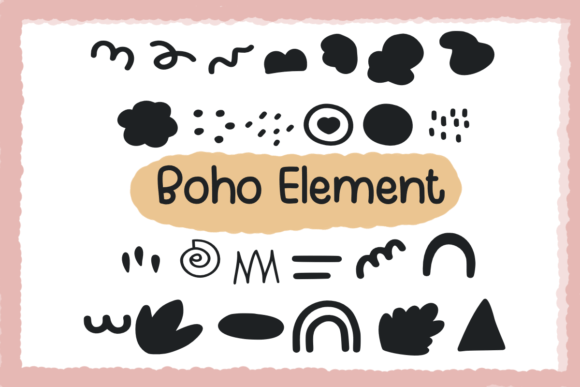
Boho Element Font Free Download – Windows, Mac, Linux
Introducing Boho Element Font: The Ultimate Hand-Drawn Dingbats Font for Creative Designs
Are you a designer, crafter, or creative enthusiast looking for a unique and versatile font to elevate your projects? Look no further than Boho Element Font, a charming hand-drawn dingbats font that’s perfect for a wide range of applications. In this article, we’ll explore the features and benefits of Boho Element Font, and show you how to make the most of this adorable font in your designs.
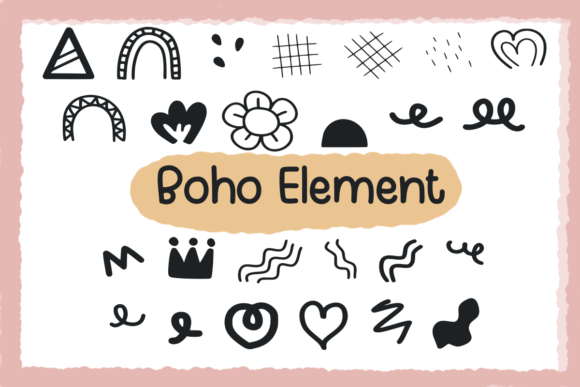
📸 Font Preview Gallery
Commercial license included • Instant download • No registration required
What is Boho Element Font?
Boho Element Font is a carefully crafted, hand-drawn dingbats font that’s designed to add a touch of bohemian charm to your designs. With its whimsical and playful style, this font is ideal for creating visually appealing and engaging projects. Whether you’re working on planners, digital designs, presentations, worksheets, greeting cards, or any other type of creative project, Boho Element Font is the perfect choice.
Key Features of Boho Element Font
- Hand-drawn with love: Each glyph has been meticulously drawn with attention to detail, ensuring a unique and personal touch.
- Cute and playful style: Boho Element Font features a delightful, bohemian-inspired design that’s sure to capture the hearts of designers and crafters alike.
- Versatile and adaptable: Use Boho Element Font in a variety of projects, from digital designs and presentations to print materials and more.
- Easy to use: This font is compatible with most design software, making it simple to incorporate into your workflow.
Perfect for Designers and Crafters
Boho Element Font is a dream come true for designers and crafters who want to add a personal touch to their projects. With this font, you can:
- Create stunning planners and organizers: Add a touch of whimsy to your planners and make them stand out.
- Craft beautiful digital designs: Use Boho Element Font to create eye-catching social media graphics, blog posts, and more.
- Design engaging presentations and worksheets: Make your presentations and worksheets more engaging and interactive with this adorable font.
- Make unique greeting cards and invitations: Add a personal touch to your greeting cards and invitations with Boho Element Font.
How to Use Boho Element Font
Using Boho Element Font is easy! Simply download the font file and install it on your computer. Then, open your favorite design software and select Boho Element Font from the font menu. You can use this font in a variety of projects, including:
- Adobe Photoshop and Illustrator
- Microsoft Word and PowerPoint
- Canva and other graphic design software
- Digital planners and journals
Tips and Tricks for Getting the Most Out of Boho Element Font
To make the most of Boho Element Font, try these tips and tricks:
- Experiment with different colors and textures: Add depth and interest to your designs by experimenting with different colors and textures.
- Mix and match with other fonts: Combine Boho Element Font with other fonts to create unique and visually appealing designs.
- Use it in combination with images and graphics: Add an extra layer of interest to your designs by combining Boho Element Font with images and graphics.
Boho Element Font: Access Download Now
| Font Name | Boho Element Font |
| Author | Foam-Design Store |
| Download | Access Download Here |
Conclusion
Boho Element Font is a versatile and adorable hand-drawn dingbats font that’s perfect for designers, crafters, and creative enthusiasts. With its whimsical and playful style, this font is sure to add a touch of bohemian charm to your designs. Whether you’re working on planners, digital designs, presentations, worksheets, greeting cards, or any other type of creative project, Boho Element Font is the perfect choice. So why wait? Download Boho Element Font today and start creating stunning designs that stand out!