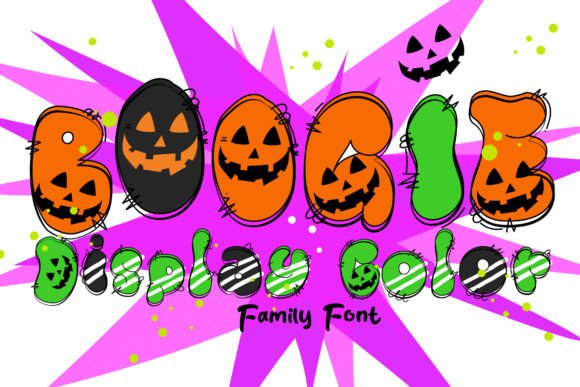
Boogie Font Free Download – Windows, Mac, Linux
Introducing Boogie Font: The Ultimate Halloween Design Companion
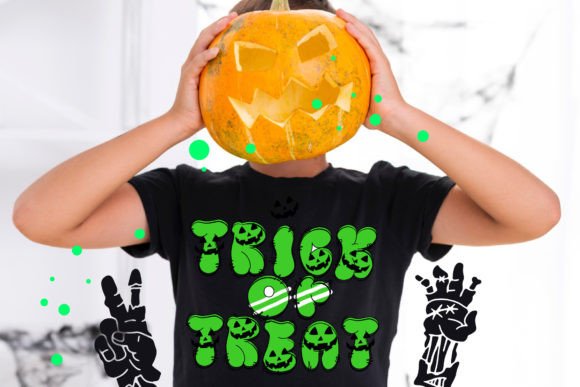
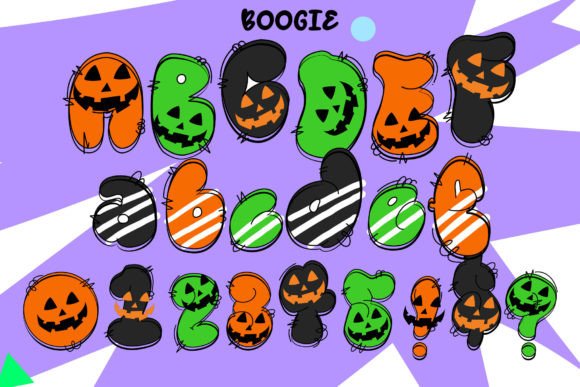
Are you ready to add a spooky touch to your designs? Look no further than the Boogie Font, a cute and fun Halloween-styled detailed colored font that’s perfect for a wide range of projects. From posters and school designs to flyers, book and movie covers, and more, Boogie Font is the ideal choice for designers and crafters looking to create eye-catching and festive designs.
📸 Font Preview Gallery
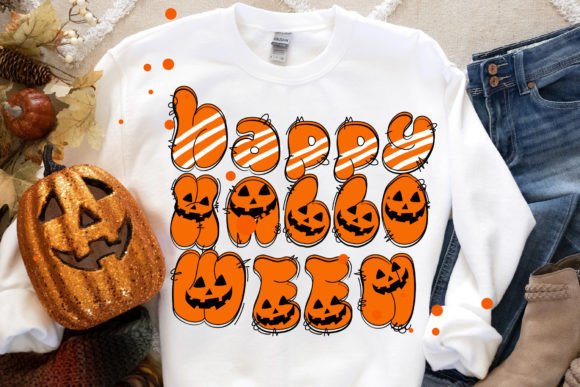
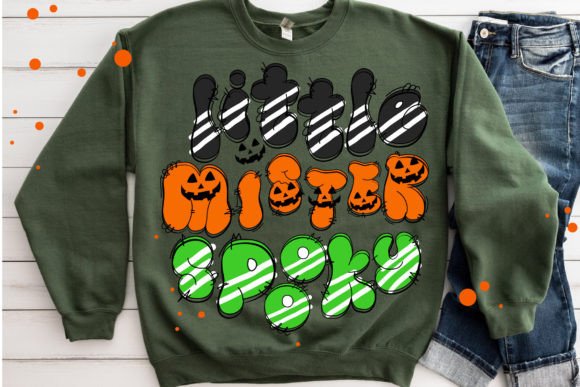
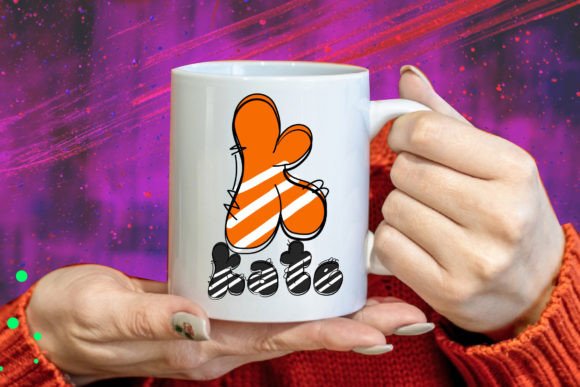
Commercial license included • Instant download • No registration required
What Makes Boogie Font So Special?
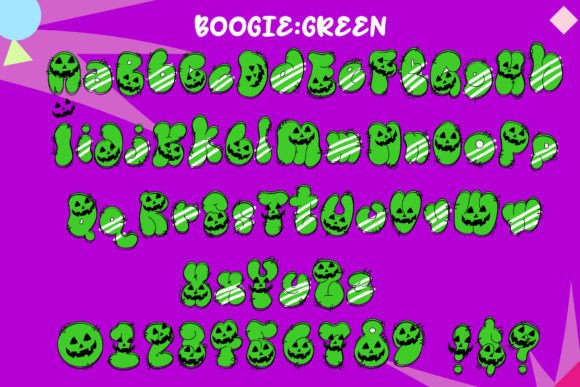
Boogie Font is a unique and versatile font that’s specifically designed for Halloween-themed projects. Its detailed and colored design makes it stand out from other fonts, and its compatibility with various design programs and cutting machines makes it a must-have for designers and crafters.
Compatibility and Uses
Boogie Font is available in two versions: a black version and a color version. The black version is compatible with Cricut Design Space and other cutting machines, making it perfect for paper crafting, vinyl cutting, and other DIY projects. The color version, on the other hand, is compatible with certain design programs, including:
- PhotoShop
- Illustrator
- Silhouette
- Inkscape
However, it’s worth noting that the color version of Boogie Font is not compatible with Cricut Design Space. If you’re looking to use the color version with Cricut, you’ll need to convert the font to a compatible format or use a different design program.
Tips for Using Boogie Font
To get the most out of Boogie Font, here are some tips and tricks to keep in mind:
- Use Boogie Font for Halloween-themed projects, such as invitations, posters, and decorations.
- Experiment with different colors and textures to give your designs a unique look.
- Pair Boogie Font with other Halloween-themed fonts and graphics for a cohesive look.
- Use the black version of Boogie Font for cutting machines, and the color version for digital designs.
How to Use Boogie Font with Cricut Design Space
If you’re looking to use Boogie Font with Cricut Design Space, you’ll need to use the black version. Here’s how to get started:
- Download the black version of Boogie Font from our website.
- Upload the font to Cricut Design Space.
- Type out your text using Boogie Font.
- Cut out your design using your Cricut machine.
How to Use Boogie Font with Other Design Programs
If you’re looking to use Boogie Font with other design programs, such as PhotoShop or Illustrator, you’ll need to use the color version. Here’s how to get started:
- Download the color version of Boogie Font from our website.
- Open your design program and select Boogie Font.
- Type out your text using Boogie Font.
- Customize your design using your program’s tools and features.
Troubleshooting Common Issues
If you’re experiencing issues with Boogie Font, here are some common problems and solutions:
- Font not showing up in Cricut Design Space: Check that you’ve uploaded the font correctly and that it’s selected in your design.
- Color version not working with Cricut: Try converting the font to a compatible format or using a different design program.
- Font not displaying correctly: Check that you’ve installed the font correctly and that it’s compatible with your design program.
Boogie Font: Access Download Now
| Font Name | Boogie Font |
| Author | Unknown |
| Download | Access Download Here |
Conclusion
Boogie Font is a versatile and fun Halloween-styled font that’s perfect for designers and crafters looking to add a spooky touch to their designs. With its compatibility with various design programs and cutting machines, Boogie Font is a must-have for anyone looking to create eye-catching and festive designs. Whether you’re a seasoned designer or a DIY crafter, Boogie Font is sure to become a favorite in your design arsenal.
Download Boogie Font Today!
Ready to get started with Boogie Font? Download it today and start creating your own spooky and fun designs! For more information on how to use Boogie Font, be sure to check out our Ultimate Font Guide.