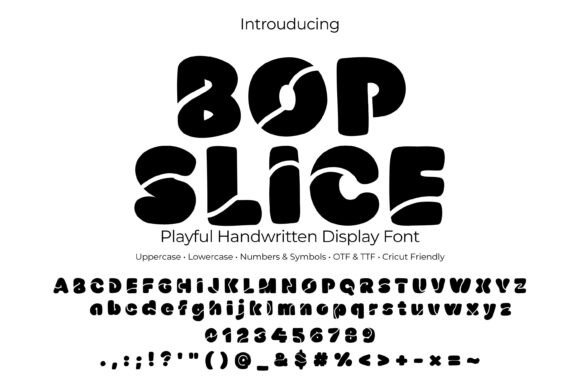
Bopslice Font Free Download – Windows, Mac, Linux
Introducing Bopslice Font: The Ultimate Bold Bubble Handwritten Display Font
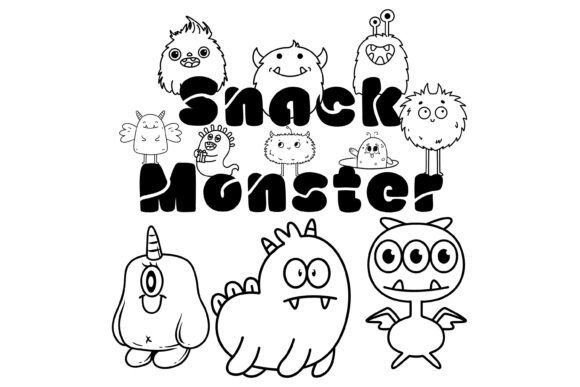
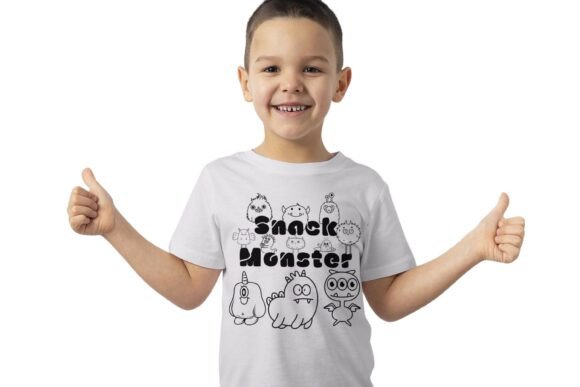
Are you looking for a font that can add a playful touch to your designs? Look no further than Bopslice Font! This bold bubble handwritten display font is perfect for creating eye-catching titles, logos, and graphics for kids’ posters, party invites, stickers, YouTube thumbnails, and Cricut/Silhouette crafts.
📸 Font Preview Gallery
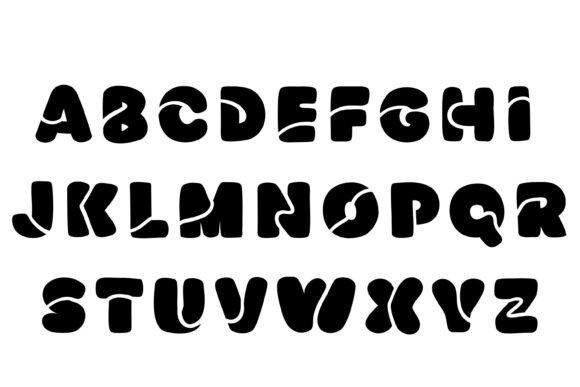
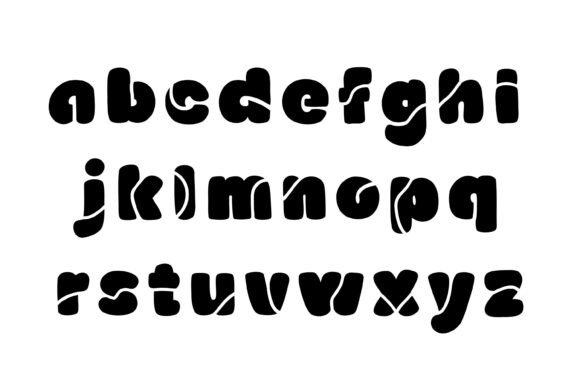
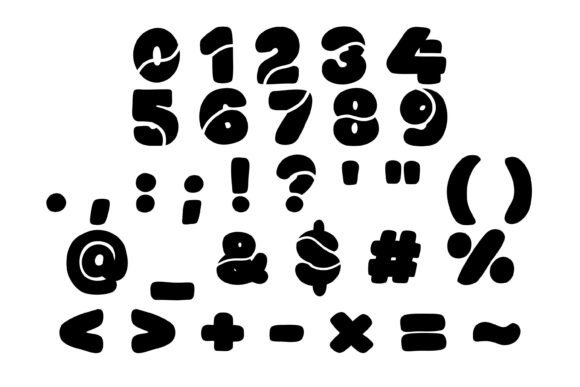

Commercial license included • Instant download • No registration required
What Makes Bopslice Font Special?
Bopslice Font features playful “slice” cuts and rounded shapes, giving it a unique and fun vibe. The chunky bubble letters, soft corners, and fun sliced details make it perfect for designs that need to stand out. The font comes in OTF and TTF formats, making it compatible with a wide range of design software, including Adobe, Affinity, MS Office, Procreate, Cricut Design Space, and Silhouette Studio.
Included Files and Characters
When you purchase Bopslice Font, you’ll receive:
- Bopslice OTF file
- Bopslice TTF file
- Uppercase letters (A-Z)
- Lowercase letters (a-z)
- Numbers (0-9)
- Punctuation and symbols (as shown in previews)
Perfect for Various Design Projects
Bopslice Font is versatile and can be used for a variety of design projects, including:
- Stickers: Add a fun touch to your stickers with Bopslice Font. For best results, add a 24-36px white outline for kiss-cut stickers.
- Kids’ posters and birthday graphics: Create eye-catching posters and birthday graphics with Bopslice Font’s playful and colorful vibe.
- Party invites and branding: Use Bopslice Font to create fun and playful party invites and branding materials.
- Classroom decor: Add a touch of fun to your classroom decor with Bopslice Font.
- YouTube thumbnails: Create attention-grabbing YouTube thumbnails with Bopslice Font.
- Labels: Use Bopslice Font to create fun and colorful labels for your products or projects.
Compatibility and Installation
Bopslice Font is compatible with both Mac and Windows operating systems. To install the font, simply:
- Download the font file
- Unzip the file
- Double-click on the .otf or .ttf file
- Click “Install”
- Restart your design application
Design Tips
Here are some design tips to help you get the most out of Bopslice Font:
- Add a 24-36px white outline for kiss-cut stickers
- Try using candy colors like #FFD84D, #7FD3FF, #FF8BA7, and #8CF0A4
- Increase tracking by 5-10 for big headlines
Bopslice Font: Access Download Now
| Font Name | Bopslice Font |
| Author | Simple Font |
| Download | Access Download Here |
Conclusion
Bopslice Font is a fun and versatile font that’s perfect for designers and crafters looking to add a playful touch to their designs. With its bold bubble handwritten display style, playful “slice” cuts, and rounded shapes, Bopslice Font is sure to make your designs stand out. Whether you’re creating stickers, kids’ posters, party invites, or YouTube thumbnails, Bopslice Font is the perfect choice.