
Bubble Gloss Font Free Download – Windows, Mac, Linux
Add a High-Shine Finish to Your Creative Projects with Bubble Gloss Font
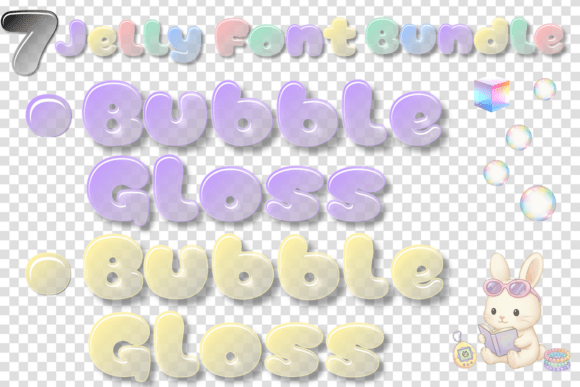
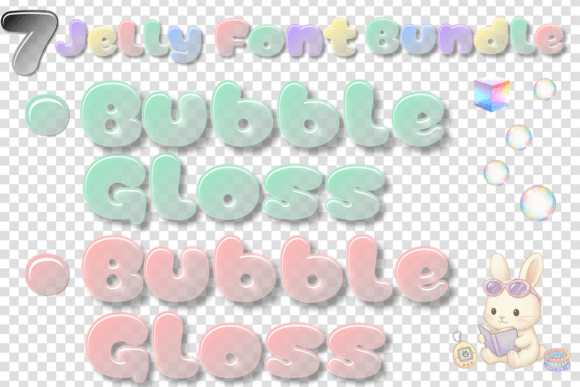
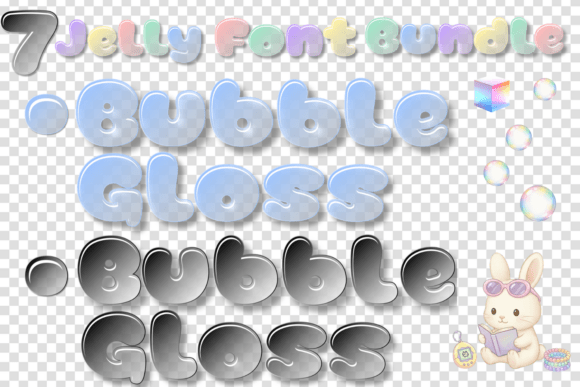
Are you looking for a font that can add a touch of sweetness and shine to your creative projects? Look no further than Bubble Gloss, a multi-color font bundle that captures the essence of a “sweet-and-shimmering” soul. This stunning collection features massive, pillowy letterforms that are uniquely characterized by rhythmic “glossy-reflection” highlights and soft pastel gradients. In this article, we’ll explore the world of Bubble Gloss and discover how it can elevate your designs to the next level.
📸 Font Preview Gallery
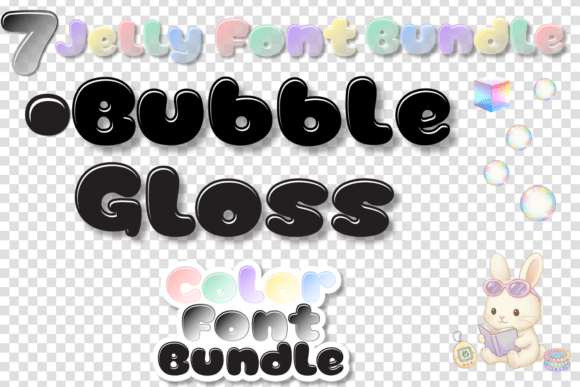
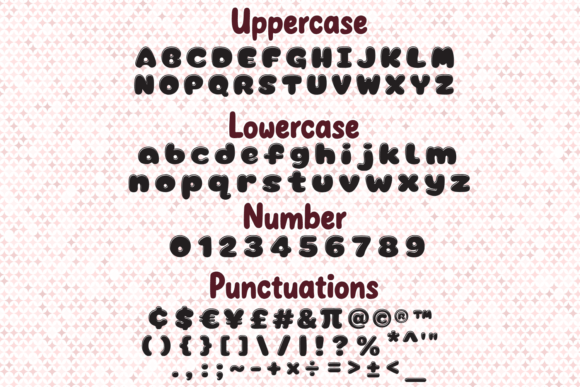
Commercial license included • Instant download • No registration required
Aesthetic Inspiration: Bridging Y2K Pop and Modern Children’s Branding
Bubble Gloss is a font bundle that seamlessly bridges the gap between Y2K pop aesthetics and modern children’s branding. The font’s design is inspired by the nostalgic and playful vibe of the early 2000s, while also incorporating a fresh and modern twist. The result is a collection of letterforms that are both retro and contemporary, making it perfect for designers and crafters who want to create unique and eye-catching designs.
Key Features of Bubble Gloss Font
So, what makes Bubble Gloss font so special? Here are some of its key features:
- Massive, Pillowy Letterforms: Bubble Gloss features large, puffy letterforms that are sure to grab attention.
- Rhythmic “Glossy-Reflection” Highlights: The font’s design includes rhythmic highlights that give it a glossy and reflective appearance.
- Soft Pastel Gradients: Bubble Gloss features soft pastel gradients that add a touch of sweetness and subtlety to the font.
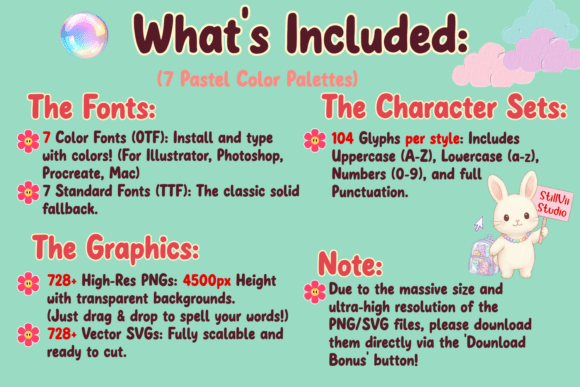
- Seven Vibrant Colorways: The font bundle includes seven vibrant colorways to choose from, ensuring that you can find the perfect match for your project.
Perfect for a Variety of Creative Projects
Bubble Gloss font is incredibly versatile and can be used for a wide range of creative projects. Here are some ideas to get you started:
- Independent Toy Store Identities: Create a unique and eye-catching brand identity for your independent toy store with Bubble Gloss.
- Boutique Confectionery Logos: Add a touch of sweetness to your boutique confectionery logo with this stunning font bundle.
- Custom Sticker Designs: Create custom stickers that pop with Bubble Gloss font.
- High-Impact Social Media Headers: Make a statement with high-impact social media headers that showcase your brand’s personality.
Why Choose Bubble Gloss Font?
So, why should you choose Bubble Gloss font for your next project? Here are just a few reasons:
- Unique and Eye-Catching: Bubble Gloss font is unlike anything you’ve seen before. Its unique design is sure to grab attention and make your designs stand out.
- Versatile: The font bundle is incredibly versatile and can be used for a wide range of creative projects.
- Easy to Use: Bubble Gloss font is easy to use and can be installed on your computer in just a few minutes.
Bubble Gloss Font: Access Download Now
| Font Name | Bubble Gloss Font |
| Author | StillViiStudio |
| Download | Access Download Here |
Conclusion
In conclusion, Bubble Gloss font is a must-have for designers and crafters who want to add a touch of sweetness and shine to their creative projects. With its unique design, versatile applications, and ease of use, this font bundle is sure to become a favorite in your collection. So why wait? Download Bubble Gloss font today and start creating stunning designs that pop!
FAQs
Here are some frequently asked questions about Bubble Gloss font:
- What file formats are included with Bubble Gloss font?
- Bubble Gloss font comes in a variety of file formats, including OTF, TTF, and WOFF.
- Can I use Bubble Gloss font for commercial projects?
- Yes, Bubble Gloss font is licensed for commercial use. However, please check the licensing agreement for specific details.
- How do I install Bubble Gloss font on my computer?
- Installing Bubble Gloss font is easy. Simply download the font files, extract them to your computer, and install them using your operating system’s font installation process.