
Buggy Christmas Font Free Download – Windows, Mac, Linux
Deck the Halls with the Buggy Christmas Font: A Whimsical Dingbat Font for Designers and Crafters
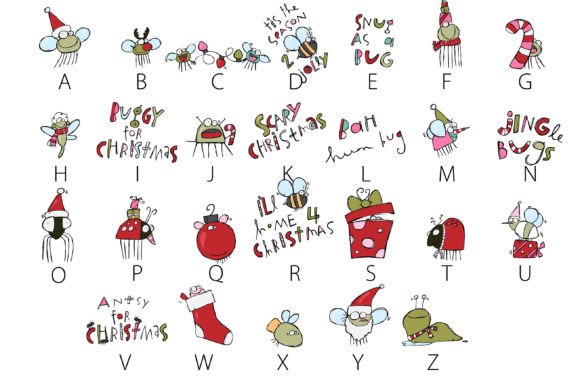
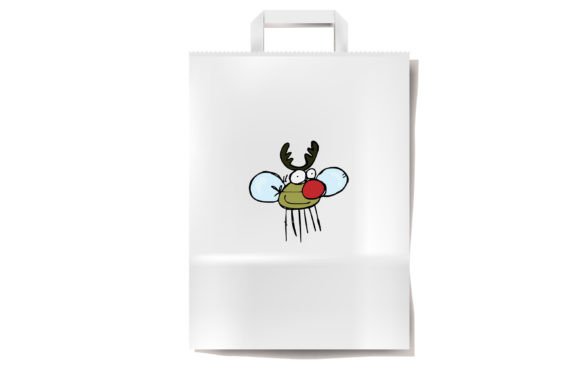
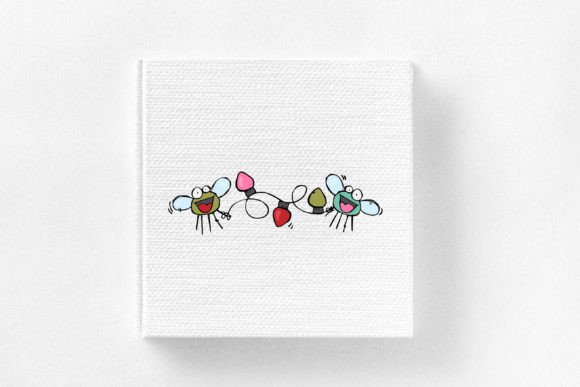
Are you looking for a unique and festive font to add some holiday cheer to your designs? Look no further than the Buggy Christmas Font, a whimsical dingbat font that features Christmas bugs and Christmas elements. This delightful font is perfect for designers and crafters who want to add a touch of personality to their projects, especially during the holiday season.
📸 Font Preview Gallery

Commercial license included • Instant download • No registration required
What is the Buggy Christmas Font?
The Buggy Christmas Font is an OpenType full-color (SVG) font that features a collection of Christmas bugs and Christmas elements, such as snowflakes, trees, and bells. This font is designed to be used with vinyl and cutting machines, making it perfect for crafters who want to create custom signs, decorations, and gifts.
How to Install the Buggy Christmas Font
Installing the Buggy Christmas Font is easy and straightforward. The font can be installed like any normal .otf font. For Mac users, this usually happens via FontBook, while Windows users can use their preferred font manager or Control Panel. Once installed, the font can be used in any compatible program.
What Programs are Compatible with the Buggy Christmas Font?
The Buggy Christmas Font is compatible with programs that support full-color SVG fonts. Some of the programs that support this font include Adobe products, Silhouette Studio, Quark, and Inkscape. If you’re not sure if your program supports color fonts, you can test it out by typing on a document and checking if the font appears in color.
How to Use the Buggy Christmas Font
Using the Buggy Christmas Font is easy and fun. Once you’ve installed the font, you can access it through your program’s font menu. Simply select the font and start typing to see the Christmas bugs and elements appear in color. You can use this font to create a variety of projects, such as:
- Custom holiday signs and decorations
- Personalized gifts, such as vinyl decals and iron-on transfers
- Holiday cards and invitations
- Social media graphics and posts
Tips and Tricks for Using the Buggy Christmas Font
Here are a few tips and tricks to keep in mind when using the Buggy Christmas Font:
- Experiment with different colors and combinations to create unique and eye-catching designs
- Use the font to add a touch of personality to your holiday projects
- Don’t be afraid to get creative and try new things – the Buggy Christmas Font is versatile and can be used in a variety of ways
Buggy Christmas Font: Access Download Now
| Font Name | Buggy Christmas Font |
| Author | Illustration Ink |
| Download | Access Download Here |
Conclusion
The Buggy Christmas Font is a fun and festive font that’s perfect for designers and crafters who want to add some holiday cheer to their projects. With its whimsical Christmas bugs and elements, this font is sure to bring a smile to anyone’s face. Whether you’re creating custom signs, decorations, or gifts, the Buggy Christmas Font is a great choice. So why wait? Download the Buggy Christmas Font today and start creating your own unique and festive holiday projects!
Troubleshooting Tips
If you’re having trouble using the Buggy Christmas Font, here are a few troubleshooting tips to keep in mind:
- If the font appears as black in your program, it may not be compatible with color fonts
- If you’re having trouble installing the font, make sure you’re using the correct installation method for your program and operating system
- If you’re still having trouble, try contacting the font designer or a support specialist for assistance
By following these tips and using the Buggy Christmas Font, you’ll be well on your way to creating fun and festive holiday projects that are sure to delight. Happy designing and crafting!