
Christmas Cut Outs Font Free Download – Windows, Mac, Linux
Introducing Christmas Cut Outs Font: A Festive and Versatile Typeface for Your Holiday Designs
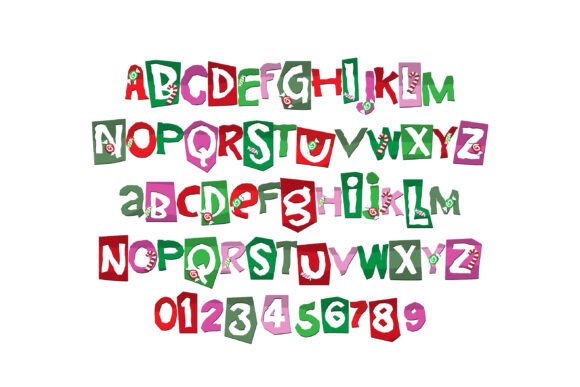
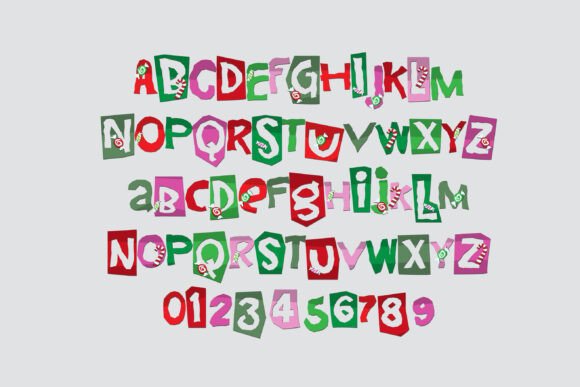
Are you looking for a unique and eye-catching font to add a touch of festive cheer to your holiday designs? Look no further than the Christmas Cut Outs Font! This full-color font features paper cut-outs of crafty lettering in a Christmas color palette, perfect for creating titles, displays, posters, and more.
📸 Font Preview Gallery

Commercial license included • Instant download • No registration required
A Festive and Versatile Font for Designers and Crafters
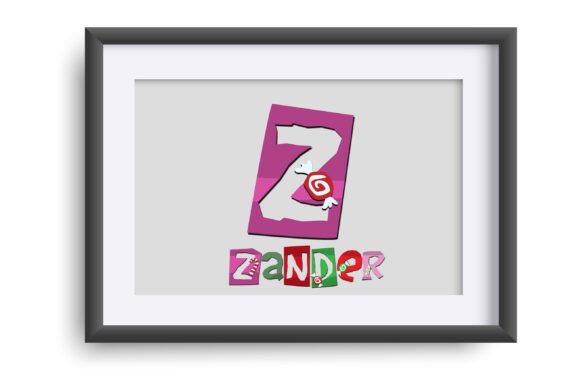
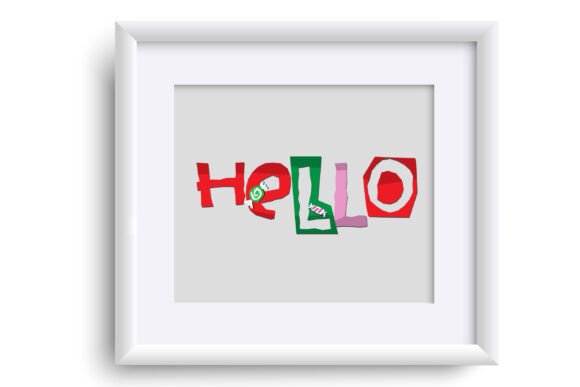
Christmas Cut Outs Font is a versatile typeface that can be used for a wide range of design projects, from holiday cards and invitations to posters and social media graphics. The font features a unique and playful design, with each letter cut out to resemble a paper craft. The result is a festive and eye-catching font that’s sure to add a touch of holiday cheer to any design.
Key Features of Christmas Cut Outs Font
- Full-color font: Christmas Cut Outs Font is a full-color font, featuring a range of festive colors that are sure to add a pop of color to your designs.
- Paper cut-out design: Each letter is cut out to resemble a paper craft, giving the font a unique and playful feel.
- Christmas color palette: The font features a range of festive colors, including red, green, gold, and more.
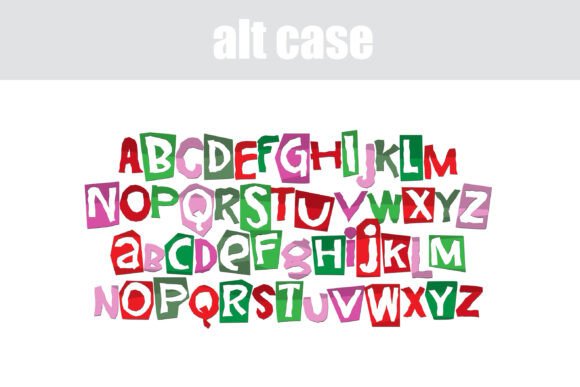
- Alt version: An alternate version of the font is available through your system’s character map, featuring additional colors for even more design flexibility.
Compatibility and Installation
Christmas Cut Outs Font is compatible with a range of design programs, including Silhouette Studio, Adobe products, Quark, and Inkscape. The font is installed like any normal .otf font, and can be accessed through your system’s font manager or control panel.
Installing on Mac:
Mac users can install the font using FontBook. Simply follow these steps:
- Download the font file
- Open FontBook and select “File” > “Add Fonts”
- Select the font file and click “Open”
- The font will now be available in your design program
Installing on Windows:
Windows users can install the font using the Control Panel. Simply follow these steps:
- Download the font file
- Open the Control Panel and select “Appearance and Personalization”
- Select “Fonts” and then click “File” > “Install Font”
- Select the font file and click “OK”
- The font will now be available in your design program
Tips for Using Christmas Cut Outs Font
Here are a few tips for getting the most out of Christmas Cut Outs Font:
- Use it for titles and displays: The font is perfect for creating eye-catching titles and displays for your holiday designs.
- Experiment with different colors: The font features a range of festive colors, but you can also experiment with different colors to create a unique look.
- Pair it with other fonts: Christmas Cut Outs Font pairs well with other festive fonts, or you can use it on its own for a bold and eye-catching look.
Troubleshooting
If you’re having trouble with Christmas Cut Outs Font, here are a few things to check:
- Color fonts may show as black: If you’re using a program that doesn’t support color fonts, the font may show as black. Try opening the file in a different program, such as Adobe Illustrator or Silhouette Studio, to see the font in color.
- Font not showing up: Make sure the font is installed correctly and that you’re using the correct font file.
Overall, Christmas Cut Outs Font is a versatile and festive typeface that’s perfect for adding a touch of holiday cheer to your designs. With its unique paper cut-out design and range of festive colors, it’s sure to be a hit with designers and crafters alike. So why wait? Download Christmas Cut Outs Font today and start creating your own festive designs!
Christmas Cut Outs Font: Access Download Now
| Font Name | Christmas Cut Outs Font |
| Author | Illustration Ink |
| Download | Access Download Here |