
Christmas Font Free Download – Windows, Mac, Linux
Christmas Font: Add a Festive Touch to Your Holiday Designs
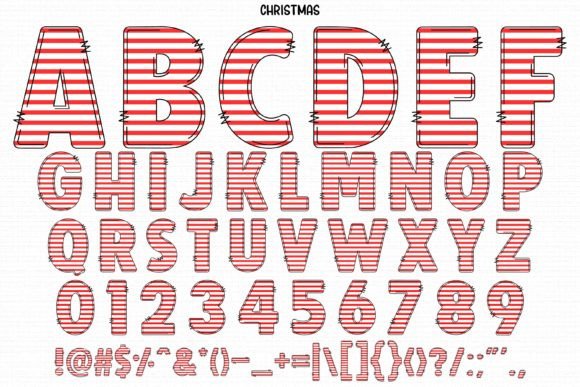
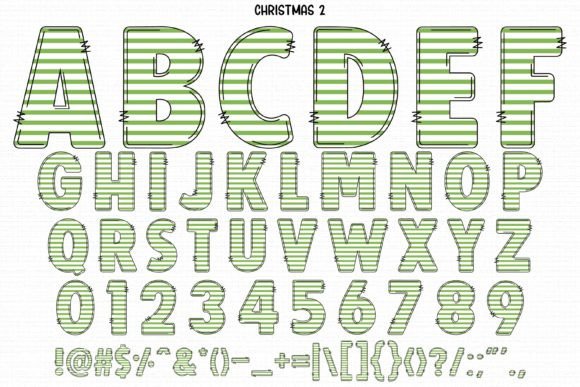
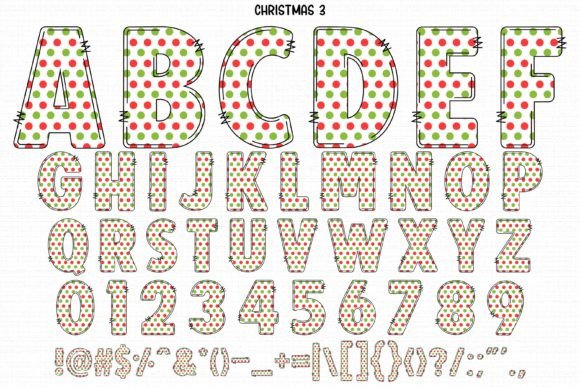
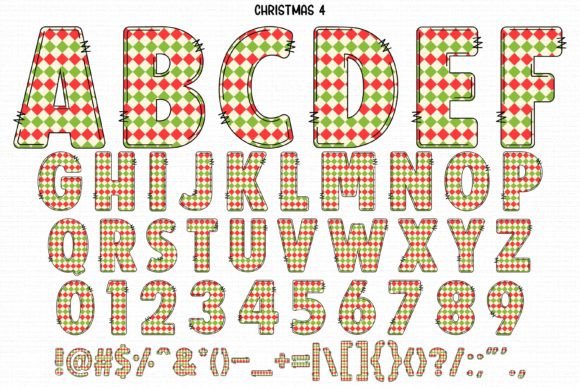
Are you looking for a font that captures the essence of Christmas? Look no further! The Christmas Font is a cute and festive color font that will instantly elevate your holiday designs, shirts, crafts, and cards. In this article, we’ll explore the features of this amazing font, its compatibility with various design programs and cutting machines, and provide you with a comprehensive guide on how to use it.
📸 Font Preview Gallery
Commercial license included • Instant download • No registration required
What is Christmas Font?
The Christmas Font is a specially designed font that exudes the joy and festivity of the holiday season. Its cute and playful style makes it perfect for a wide range of Christmas-themed projects, from greeting cards and invitations to t-shirts and decorations. The font comes in two versions: a black version and a color version, each with its own unique features and compatibility.
Features of Christmas Font
- Cute and festive design: The Christmas Font is designed to bring a touch of holiday cheer to your projects.
- Color and black versions: The font comes in two versions: a black version compatible with cutting machines and a color version compatible with certain design programs.
- Instantly enhance your projects: The Christmas Font is designed to instantly elevate your holiday designs and make them more engaging.
Compatibility with Design Programs and Cutting Machines
The Christmas Font is compatible with various design programs and cutting machines, making it versatile and convenient to use. Here’s a breakdown of its compatibility:
- Black Version: The black version of the Christmas Font is compatible with Cricut Design Space and other cutting machines, making it perfect for crafters and DIY enthusiasts.
- Color Version: The color version of the font is compatible with certain design programs, including:
- PhotoShop
- Illustrator
- Silhouette
- Inkscape
Note that the OTF and/or TTF files of the color version are not compatible with Cricut. However, you can still use the font in your Cricut projects by using the black version or by following our Ultimate Font Guide.
How to Use Christmas Font
Using the Christmas Font is easy and straightforward. Here are some steps to get you started:
- Download and install the font: Simply download the font file and install it on your computer.
- Choose your design program: Select the design program you want to use, whether it’s PhotoShop, Illustrator, or Cricut Design Space.
- Select the font: Choose the Christmas Font from your font library and start designing.
For more information on how to use the Christmas Font, including tutorials and tips, check out our Ultimate Font Guide.
Tips and Ideas for Using Christmas Font
The Christmas Font is versatile and can be used in a wide range of holiday projects. Here are some ideas to get you started:
- Christmas cards and invitations: Use the Christmas Font to create festive and personalized cards and invitations.
- T-shirts and hoodies: Design custom holiday apparel with the Christmas Font.
- Decorations and signs: Create festive decorations and signs with the Christmas Font.
- Crafts and DIY projects: Use the Christmas Font to add a personal touch to your holiday crafts and DIY projects.
Christmas Font: Access Download Now
| Font Name | Christmas Font |
| Author | ANC |
| Download | Access Download Here |
Conclusion
The Christmas Font is a fun and festive font that will add a touch of holiday cheer to your designs. With its cute and playful style, compatibility with various design programs and cutting machines, and ease of use, it’s perfect for designers, crafters, and DIY enthusiasts. Whether you’re creating Christmas cards, decorations, or apparel, the Christmas Font is sure to make your projects shine.