
Christmasberry Font Free Download – Windows, Mac, Linux
Introducing Christmasberry Font: A Festive and Versatile Typeface for Your Holiday Projects
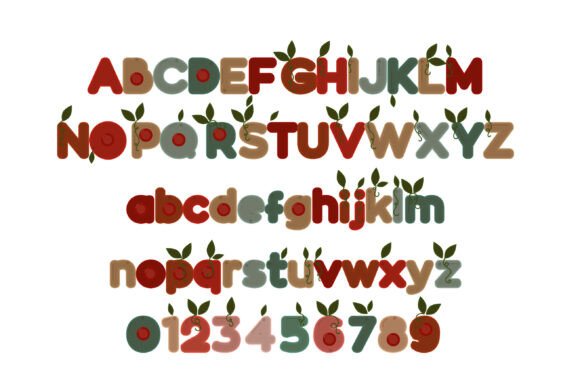
Are you looking for a font that captures the essence of the holiday season? Look no further than Christmasberry Font, a full-color typeface that combines a chunky sans serif design with festive Christmas berries and leaves. This font is perfect for designers and crafters who want to add a touch of holiday cheer to their projects.
📸 Font Preview Gallery

Commercial license included • Instant download • No registration required
What is Christmasberry Font?
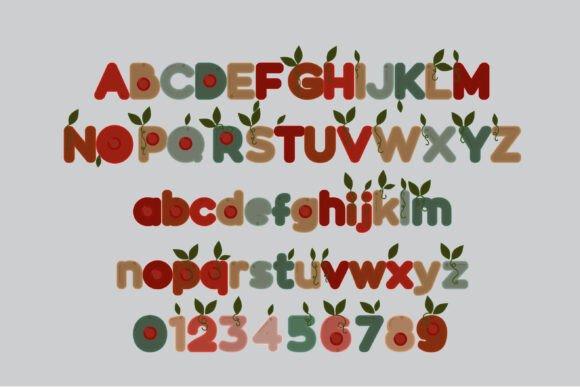
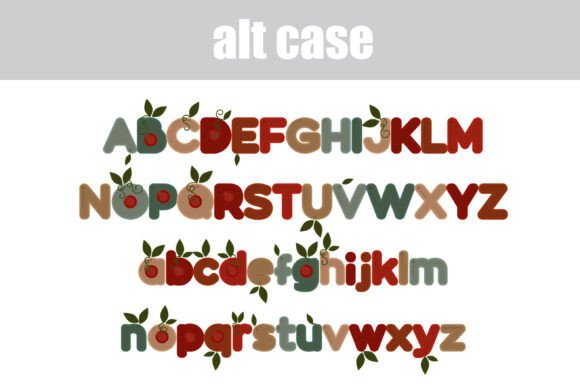
Christmasberry Font is a unique and eye-catching typeface that features a chunky sans serif design with Christmas berries and leaves throughout. The font comes in two versions: a main version and an alt version that can be accessed through your system’s character map. The alt version contains additional colors of all the letters, giving you even more creative options.
What is Christmasberry Font Used For?
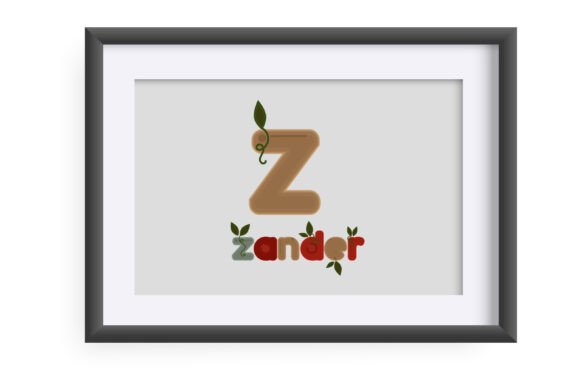
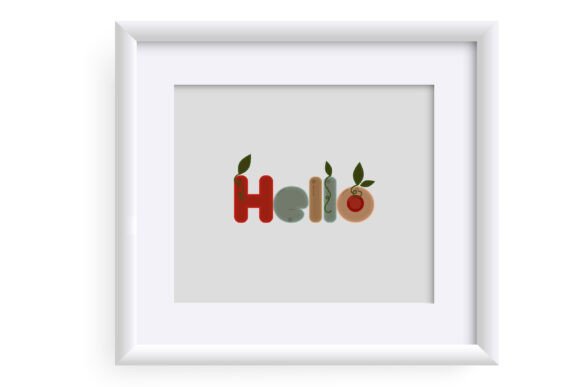
Christmasberry Font is ideal for a variety of projects, including titles, displays, posters, and more. Its bold and festive design makes it perfect for holiday-themed projects, such as Christmas cards, invitations, and decorations. The font is also versatile enough to be used for other creative projects, such as branding, packaging, and digital graphics.
Technical Details
Christmasberry Font is an OpenType full-color (SVG) font, which means it can be installed like any normal .otf font. For Mac users, this typically involves using FontBook, while Windows users can use their preferred font manager or Control Panel. It’s essential to note that color fonts may show as black in non-compatible programs, so it’s crucial to check compatibility before using the font.
Compatibility
Christmasberry Font is compatible with a range of programs, including Silhouette Studio, Adobe products, Quark, and Inkscape. These programs support full-color SVG fonts, allowing you to take full advantage of the font’s colorful design. When using the font in compatible programs, you’ll be able to see the colors in your document. However, if you’re using a non-compatible program, the font may appear as black.
Tips for Using Christmasberry Font
To get the most out of Christmasberry Font, here are a few tips:
- Use the font for holiday-themed projects, such as Christmas cards, invitations, and decorations.
- Experiment with different colors and combinations to create unique and eye-catching designs.
- Use the alt version of the font to access additional colors and creative options.
- Make sure to check compatibility with your preferred program before using the font.
Benefits for Designers and Crafters
Christmasberry Font offers a range of benefits for designers and crafters, including:
- A unique and festive design that’s perfect for holiday-themed projects.
- A versatile typeface that can be used for a range of creative projects.
- Easy installation and compatibility with a range of programs.
- Additional creative options with the alt version of the font.
Christmasberry Font: Access Download Now
| Font Name | Christmasberry Font |
| Author | Illustration Ink |
| Download | Access Download Here |
Conclusion
Christmasberry Font is a fantastic addition to any designer’s or crafter’s font library. Its festive and versatile design makes it perfect for holiday-themed projects, and its compatibility with a range of programs ensures that you can use it with ease. Whether you’re creating Christmas cards, invitations, or decorations, Christmasberry Font is sure to add a touch of holiday cheer to your projects.
So why not give Christmasberry Font a try? With its unique design and range of creative options, it’s the perfect way to add some festive fun to your designs.