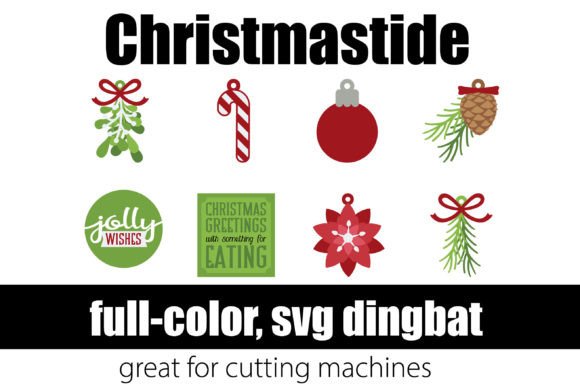
Christmastide Font Free Download – Windows, Mac, Linux
Introducing Christmastide Font: A Whimsical Dingbat Font for the Holiday Season
Are you looking for a unique and festive font to add some holiday cheer to your card-making, vinyl projects, and cutting machine designs? Look no further than Christmastide Font, a modern and whimsical dingbat font that’s perfect for the season. In this article, we’ll explore the features and benefits of Christmastide Font, and provide you with a comprehensive guide on how to install and use it in your designs.
📸 Font Preview Gallery


Commercial license included • Instant download • No registration required
What is Christmastide Font?
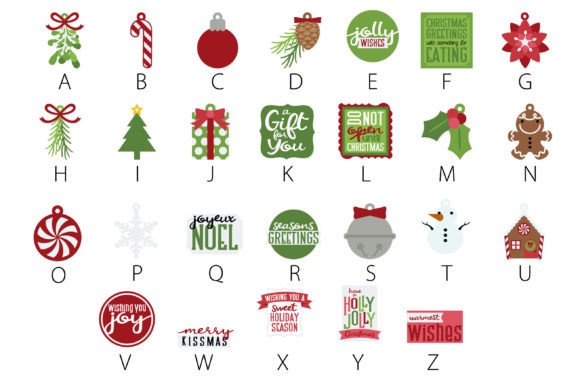
Christmastide Font is a modern Christmas-themed dingbat font that features a range of festive elements, including snowflakes, trees, bells, and more. This OpenType full-color (SVG) font is designed to be versatile and easy to use, making it perfect for a variety of design applications, from card-making and scrapbooking to vinyl projects and cutting machine designs.
Key Features of Christmastide Font
- Modern and whimsical design: Christmastide Font features a range of modern and whimsical Christmas elements that are sure to add a touch of festive fun to your designs.
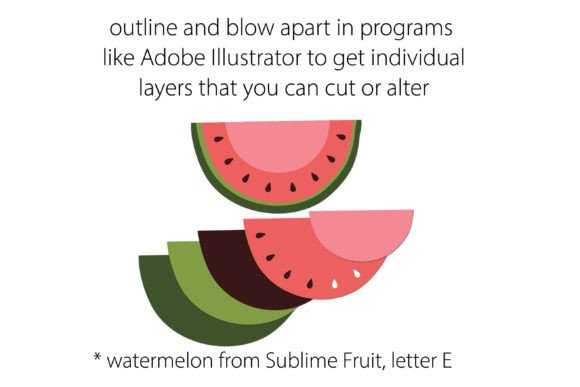
- OpenType full-color (SVG) font: This font is designed to be used in programs that support full-color SVG fonts, allowing you to create vibrant and colorful designs.
- Easy to install: Christmastide Font can be installed as any normal .otf font, making it easy to get started with your designs.
- Compatible with a range of programs: This font is compatible with a range of programs, including Adobe products, Silhouette Studio, Quark, and Inkscape.
How to Install Christmastide Font
Installing Christmastide Font is easy and straightforward. Here’s a step-by-step guide:
- Mac users: Install the font via FontBook. Simply open FontBook, select the .otf file, and click “Install”.
- Windows users: Install the font via your preferred font manager or Control Panel. Right-click on the .otf file and select “Install”.
Using Christmastide Font in Your Designs
Once you’ve installed Christmastide Font, you can start using it in your designs. Here are a few tips to get you started:
- Choose a program that supports full-color SVG fonts: Make sure you’re using a program that supports full-color SVG fonts, such as Adobe products, Silhouette Studio, Quark, or Inkscape.
- Type on the document and see it in color: If your program supports full-color SVG fonts, you should see the font in color when you type on the document.
- Experiment with different designs: Christmastide Font is versatile and can be used in a range of design applications. Experiment with different designs and see what works best for you.
Troubleshooting Tips
If you’re having trouble using Christmastide Font in your designs, here are a few troubleshooting tips:
- Check program compatibility: Make sure you’re using a program that supports full-color SVG fonts.
- Check font installation: Make sure the font is installed correctly and appears in your font list.
- Contact support: If you’re still having trouble, contact our support team for assistance.
Christmastide Font: Access Download Now
| Font Name | Christmastide Font |
| Author | Illustration Ink |
| Download | Access Download Here |
Conclusion
Christmastide Font is a unique and festive dingbat font that’s perfect for the holiday season. With its modern and whimsical design, easy installation, and compatibility with a range of programs, it’s a great addition to any designer’s toolkit. Whether you’re a card-maker, scrapbooker, or vinyl designer, Christmastide Font is sure to add some holiday cheer to your designs. So why wait? Download Christmastide Font today and start creating your own festive designs!