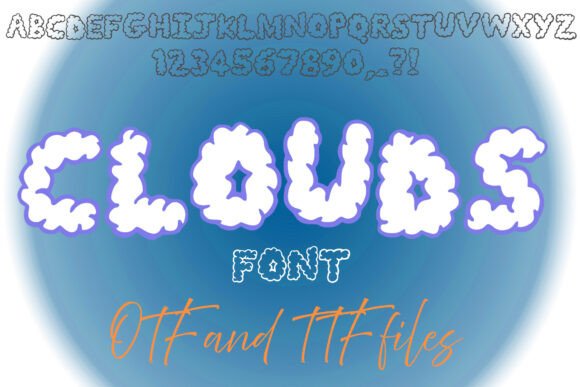
Clouds Font Free Download – Windows, Mac, Linux
Float into Creativity with Clouds Font!
Are you ready to elevate your designs to new heights? Look no further than Clouds Font, a dreamy and fluffy typeface that captures the soft, puffy essence of clouds. This charming font is perfect for children’s projects, fantasy themes, weather-related designs, and playful branding. Whether you’re designing for a nursery, a fun logo, or whimsical graphics, Clouds Font will add a light and airy touch to your work.
📸 Font Preview Gallery
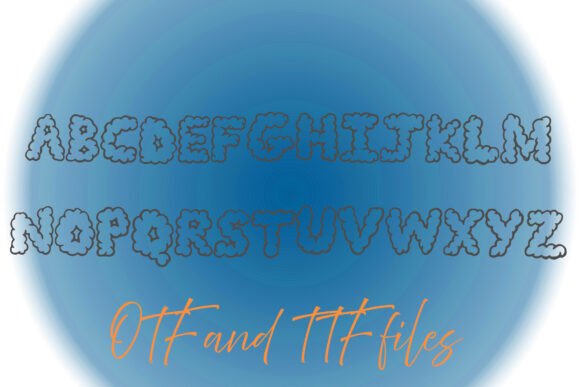
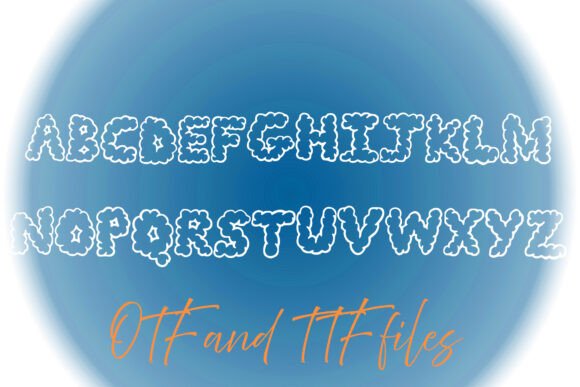
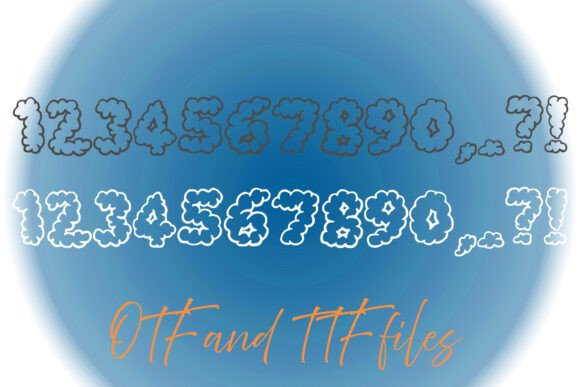
Commercial license included • Instant download • No registration required
The Inspiration Behind Clouds Font
Clouds Font is inspired by the whimsical and carefree nature of clouds. The font’s creator aimed to bottle the soft, puffy texture of clouds and bring it to life in a digital format. The result is a typeface that is both playful and elegant, making it suitable for a wide range of design projects.
Characteristics of Clouds Font
So, what makes Clouds Font so special? Here are a few of its key characteristics:
- Soft and puffy texture: Clouds Font features a unique texture that mimics the softness and puffiness of clouds.
- Dreamy and whimsical: The font has a dreamy and whimsical feel to it, making it perfect for designs that require a touch of fantasy.
- Highly legible: Despite its playful nature, Clouds Font is highly legible, making it suitable for use in a variety of design projects.
- Versatile: Clouds Font can be used in a wide range of design projects, from children’s books to logos and branding.
Use Cases for Clouds Font
Clouds Font is a versatile typeface that can be used in a variety of design projects. Here are a few use cases to get you started:
- Children’s projects: Clouds Font is perfect for children’s books, nursery decor, and kids’ branding.
- Fantasy themes: The font’s whimsical nature makes it suitable for fantasy-themed designs, such as logos, graphics, and website headers.
- Weather-related designs: Clouds Font is a great choice for weather-related designs, such as weather forecasts, climate reports, and outdoor branding.
- Playful branding: The font’s playful nature makes it perfect for brands that want to convey a sense of fun and whimsy.
Tips for Using Clouds Font
Here are a few tips for using Clouds Font in your design projects:
- Pair with bold fonts: Clouds Font pairs well with bold fonts, which can help to create a nice contrast and add depth to your design.
- Use pastel colors: Pastel colors can help to enhance the soft and puffy texture of Clouds Font, making it perfect for designs that require a subtle and soothing color scheme.
- Experiment with textures: Clouds Font can be paired with a variety of textures, such as cloud-like textures or watercolor effects, to add depth and interest to your design.
Clouds Font: Access Download Now
| Font Name | Clouds Font |
| Author | squeebcreative |
| Download | Access Download Here |
Conclusion
Clouds Font is a unique and versatile typeface that can add a touch of whimsy and fantasy to your design projects. With its soft and puffy texture, dreamy and whimsical feel, and high legibility, Clouds Font is perfect for a wide range of design projects, from children’s books to logos and branding. So why not float into creativity with Clouds Font and see where your imagination takes you?
Get Your Hands on Clouds Font
Ready to start using Clouds Font in your design projects? You can download Clouds Font from [insert link to font download]. Don’t forget to check out the font’s licensing terms and conditions to ensure that you’re using it for personal or commercial use.
Frequently Asked Questions
Here are a few frequently asked questions about Clouds Font:
- What file format is Clouds Font available in?: Clouds Font is available in [insert file format, e.g., OTF, TTF, WOFF].
- Can I use Clouds Font for commercial projects?: Yes, Clouds Font can be used for commercial projects, but please check the font’s licensing terms and conditions to ensure that you’re complying with the requirements.
- Is Clouds Font suitable for body text?: While Clouds Font is highly legible, it’s best suited for use in headings and titles rather than body text.