
Cut out Paper Font Free Download – Windows, Mac, Linux
Introducing Cut Out Paper Font: A Crafting-Themed Color Font for Designers and Crafters
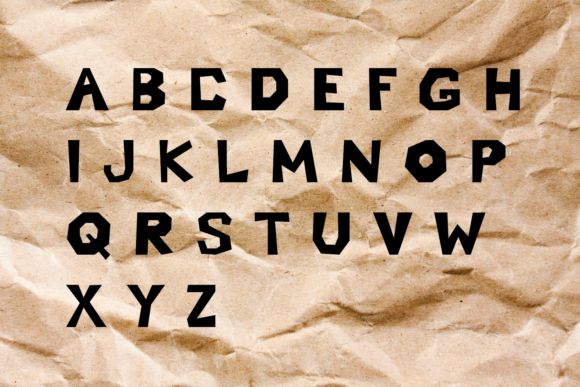
Are you a designer or crafter looking for a unique and creative font to add a personal touch to your projects? Look no further than the Cut Out Paper Font, a crafting-themed color font that mimics the look of cutout paper. This font is perfect for a variety of projects, from paper crafting to digital design, and is sure to add a touch of whimsy and charm to your work.
📸 Font Preview Gallery
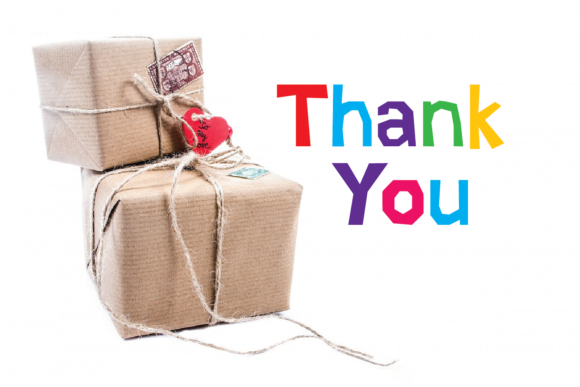
Commercial license included • Instant download • No registration required
What is Cut Out Paper Font?
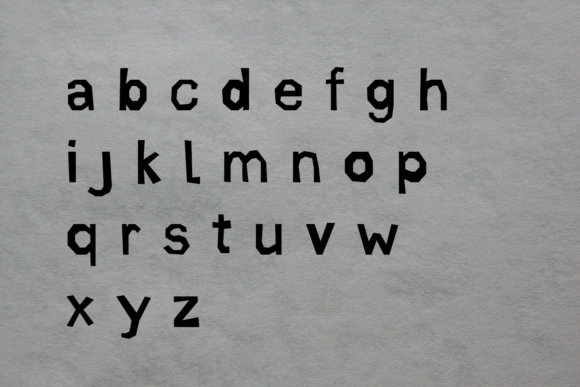
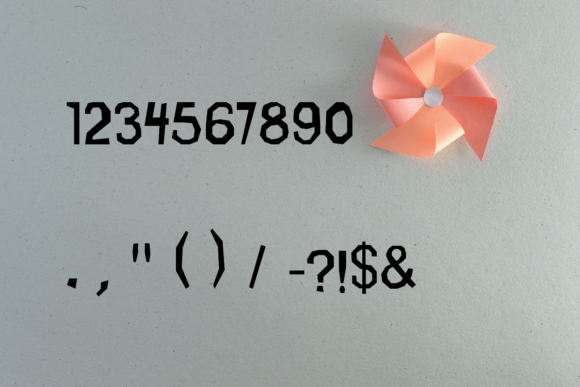
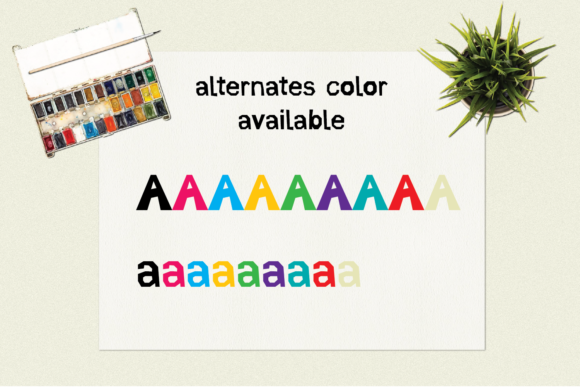
Cut Out Paper Font is a specially designed color font that features a cutout paper style, complete with uppercase and lowercase letters, numbers, and punctuation. What sets this font apart is its use of color, with 8 alternate colors available for both uppercase and lowercase glyphs. This allows you to add an extra layer of creativity and visual interest to your projects.
Key Features of Cut Out Paper Font
- Crafting-themed design: The Cut Out Paper Font is designed to look like cutout paper, making it perfect for crafting and paper crafting projects.
- Color font: This font is a color font, which means it includes multiple colors that can be used to add visual interest to your projects.
- 8 alternate colors: Both uppercase and lowercase glyphs have 8 alternate colors available, giving you plenty of options for customization.
- PUA encoded: The font is PUA (Private Use Area) encoded, making it easy to access all of the glyphs and colors.
- Compatible with popular design software: The font is compatible with PhotoShop, Illustrator, Silhouette, and Inkscape, making it easy to use with your favorite design tools.
Technical Details
It’s worth noting that the Cut Out Paper Font is an Opentype-SVG font, which means it uses SVG (Scalable Vector Graphics) to define the font’s shapes and colors. This allows for crisp and clear text at any size, making it perfect for both digital and print projects.
Using Cut Out Paper Font with Your Favorite Design Software
As mentioned earlier, the Cut Out Paper Font is compatible with a range of popular design software, including PhotoShop, Illustrator, Silhouette, and Inkscape. However, it’s not compatible with Cricut machines when using the OTF and/or TTF files. If you’re using a Cricut machine, be sure to check out our Ultimate Font Guide for more information on how to use this type of font.
Tips and Tricks for Using Cut Out Paper Font
Here are a few tips and tricks for getting the most out of the Cut Out Paper Font:
- Experiment with different colors: With 8 alternate colors available for both uppercase and lowercase glyphs, don’t be afraid to experiment and find the perfect color combination for your project.
- Use it for a variety of projects: The Cut Out Paper Font is versatile and can be used for a range of projects, from paper crafting to digital design.
- Take advantage of PUA encoding: The font’s PUA encoding makes it easy to access all of the glyphs and colors, so be sure to take advantage of this feature.
Cut out Paper Font: Access Download Now
| Font Name | Cut out Paper Font |
| Author | Unknown |
| Download | Access Download Here |
Conclusion
The Cut Out Paper Font is a unique and creative font that’s perfect for designers and crafters looking to add a personal touch to their projects. With its crafting-themed design, color font capabilities, and 8 alternate colors, this font is sure to add a touch of whimsy and charm to your work. Whether you’re working on a paper crafting project or a digital design, the Cut Out Paper Font is a great choice.
Get Ready to Cut Out Your Designs with Style!
So why wait? Download the Cut Out Paper Font today and get ready to take your designs to the next level. With its ease of use, versatility, and creative possibilities, this font is sure to become a favorite in your design arsenal.