
Cute Freya Font Free Download – Windows, Mac, Linux
Cute Freya Font: Add a Touch of Whimsy to Your Designs
Are you looking for a font that can add a dash of cuteness and style to your designs? Look no further than the Cute Freya Font! This charming color font is perfect for creating gorgeous invitations, beautiful stationary art, eye-catching social media posts, and adorable greeting cards. In this article, we’ll dive into the features and benefits of Cute Freya, and explore how you can use it to take your designs to the next level.
📸 Font Preview Gallery
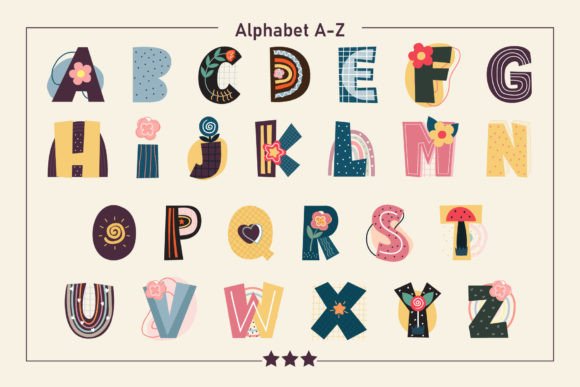
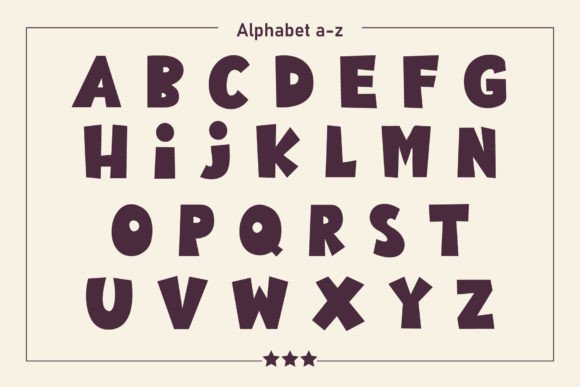
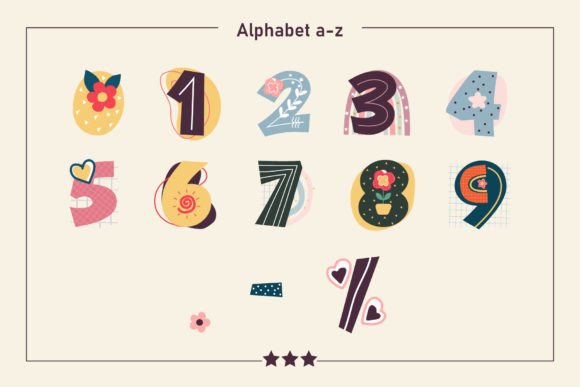

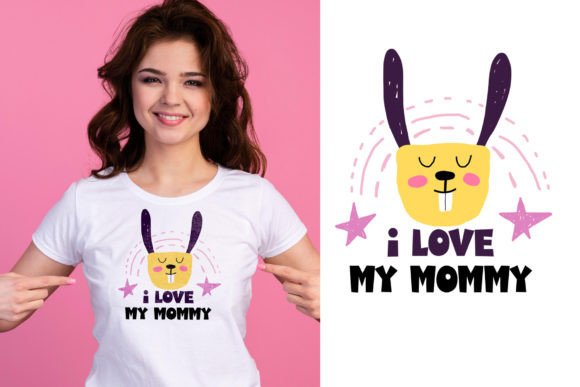

Commercial license included • Instant download • No registration required
What is Cute Freya Font?
Cute Freya is a stylish, cute, and fun color font that is sure to capture your heart. Its authentic feel makes it perfect for a wide range of design projects, from DIY crafts to professional branding. This font is not just a simple text font, but a full-fledged design element that can add visual interest and personality to your work.
Key Features of Cute Freya Font
- Color Font: Cute Freya is a color font (Opentype-SVG), which means it can display a range of colors and gradients, giving your designs a unique and eye-catching look.
- Compatibility: This font is compatible with popular design software such as PhotoShop, Illustrator, Silhouette, and Inkscape.
- File Format: The product includes OTF and/or TTF files, which are not compatible with Cricut. However, you can still use it with Cricut by following the guidelines in our Ultimate Font Guide.
Benefits of Using Cute Freya Font
So, why should you choose Cute Freya Font for your designs? Here are just a few benefits:
- Adds Visual Interest: The color and gradient effects in Cute Freya Font make it a great way to add visual interest to your designs and make them stand out.
- Easy to Use: This font is easy to install and use, even if you’re not a professional designer. Simply download the font, install it on your computer, and start using it in your designs.
- Versatile: Cute Freya Font is perfect for a wide range of design projects, from invitations and greeting cards to social media posts and stationary art.
How to Use Cute Freya Font
Using Cute Freya Font is easy! Here are the basic steps:
- Download and Install: Download the font files and install them on your computer.
- Open Your Design Software: Open your design software, such as PhotoShop or Illustrator.
- Select the Font: Select Cute Freya Font from your font list and start typing.
- Customize: Customize your text with different colors, gradients, and effects to make it unique.
Tips and Tricks for Getting the Most Out of Cute Freya Font
Here are a few tips and tricks to help you get the most out of Cute Freya Font:
- Experiment with Colors: Try out different color combinations to find the perfect look for your design.
- Use it with Other Design Elements: Combine Cute Freya Font with other design elements, such as images and graphics, to create a unique look.
- Make it 3D: Use Cute Freya Font to create 3D text effects and add depth to your designs.
Cute Freya Font: Access Download Now
| Font Name | Cute Freya Font |
| Author | Fox7 |
| Download | Access Download Here |
Conclusion
Cute Freya Font is a stylish, cute, and fun color font that is perfect for designers and crafters looking to add a touch of whimsy to their designs. With its authentic feel, versatility, and ease of use, it’s a great addition to any design project. Whether you’re creating invitations, greeting cards, or social media posts, Cute Freya Font is sure to make your designs stand out. So why wait? Download Cute Freya Font today and start creating!
Additional Resources
For more information on how to use Cute Freya Font and other design resources, be sure to check out our Ultimate Font Guide. This comprehensive guide covers everything you need to know about using color fonts, including installation, compatibility, and troubleshooting.