Cutout Font Free Download – Windows, Mac, Linux
Introducing the Cutout Font: A Bold and Versatile Typeface for Designers and Crafters
Are you tired of using the same old fonts for your designs? Do you want to add a touch of uniqueness and creativity to your posters, book covers, and apparel designs? Look no further than the Cutout Font, a bold and eye-catching typeface that’s perfect for making a statement.
📸 Font Preview Gallery


Commercial license included • Instant download • No registration required
What is the Cutout Font?
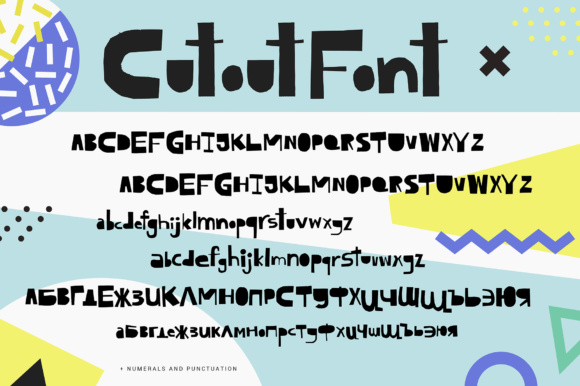
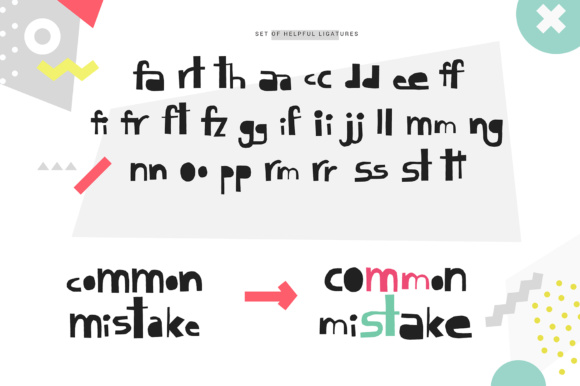
The Cutout Font is a bold font with organic edges that will add a touch of ruggedness and texture to your designs. Its unique cutout style makes it perfect for designs where you need to draw attention to the words, such as posters, book covers, and apparel designs. The font is designed to be versatile and can be used for a variety of projects, from digital designs to print materials.
Key Features of the Cutout Font
- Bold and eye-catching: The Cutout Font is designed to make a statement. Its bold and rugged style ensures that your text will stand out from the background.
- Organic edges: The font features organic edges that give it a unique and textured look. This makes it perfect for designs where you want to add a touch of roughness and authenticity.
- Versatile: The Cutout Font can be used for a variety of projects, from posters and book covers to apparel designs and digital graphics.
- Easy to use: The font is easy to install and use, making it perfect for designers and crafters of all levels.
The Bonus: Cutout Textures Font
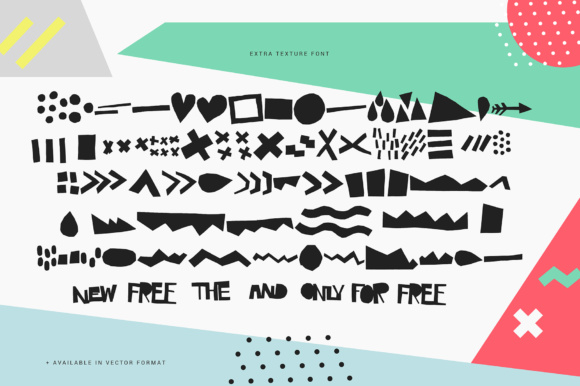
As a bonus, you’ll also receive the Cutout Textures Font, which allows you to add awesome textures to your designs in a quick and easy manner. This font is perfect for designers who want to add an extra layer of depth and interest to their designs. With the Cutout Textures Font, you can easily add textures such as wood, stone, and fabric to your designs, giving them a unique and realistic look.
How to Use the Cutout Font
Using the Cutout Font is easy. Simply download the font file and install it on your computer. You can then use the font in your favorite design software, such as Adobe Illustrator or Canva. Here are a few tips for using the Cutout Font:
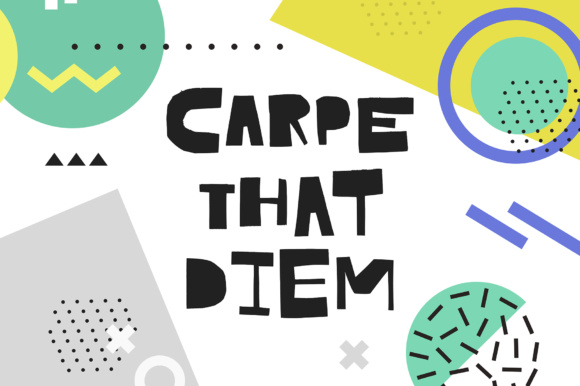
- Use it for headlines: The Cutout Font is perfect for headlines and titles. Use it to add a bold and eye-catching touch to your designs.
- Experiment with colors: The Cutout Font looks great in a variety of colors. Experiment with different colors and textures to find the look that works best for your design.
- Combine it with other fonts: The Cutout Font can be combined with other fonts to create a unique and interesting look. Try pairing it with a sans-serif font for a bold and modern look.
Who is the Cutout Font for?
The Cutout Font is perfect for designers and crafters who want to add a touch of uniqueness and creativity to their designs. It’s ideal for:
- Graphic designers: The Cutout Font is perfect for graphic designers who want to create bold and eye-catching designs for their clients.
- Apparel designers: The font is ideal for apparel designers who want to create unique and stylish designs for t-shirts, hoodies, and other clothing items.
- Crafters: The Cutout Font is also perfect for crafters who want to add a touch of personality to their DIY projects, such as scrapbooking and card making.
Cutout Font: Access Download Now
| Font Name | Cutout Font |
| Author | Favete Art |
| Download | Access Download Here |
Conclusion
The Cutout Font is a bold and versatile typeface that’s perfect for designers and crafters who want to add a touch of uniqueness and creativity to their designs. With its organic edges and bold style, it’s ideal for designs where you need to draw attention to the words. The bonus Cutout Textures Font is a great addition, allowing you to add awesome textures to your designs in a quick and easy manner. Whether you’re a graphic designer, apparel designer, or crafter, the Cutout Font is a great addition to your design toolkit.