
Dad’s Nuts and Bolts Font Free Download – Windows, Mac, Linux
Dad’s Nuts and Bolts Font: A Fun and Functional Addition to Your Design Toolbox
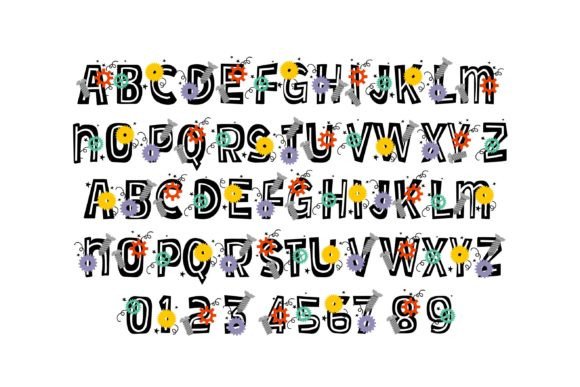
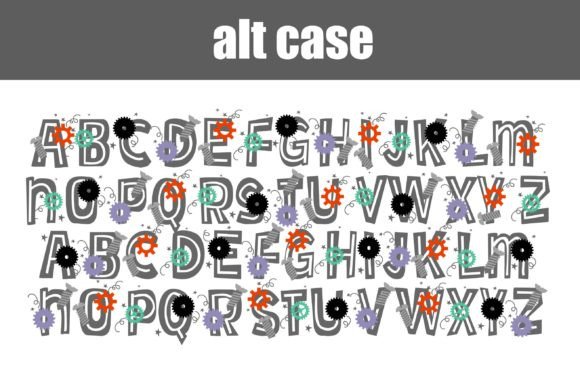
Are you a designer or crafter looking for a unique and playful font to add some personality to your projects? Look no further than Dad’s Nuts and Bolts Font! This full-color font features nuts, bolts, and springs on blocky sans serif lettering, making it perfect for a wide range of creative applications.
📸 Font Preview Gallery

Commercial license included • Instant download • No registration required
What Makes Dad’s Nuts and Bolts Font So Special?
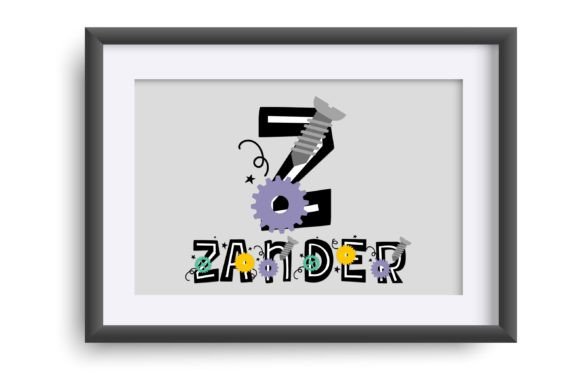
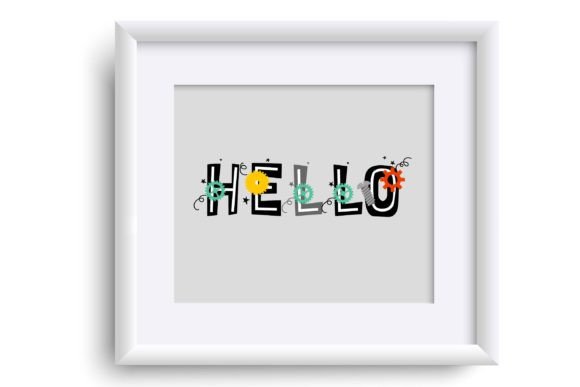
Dad’s Nuts and Bolts Font is a one-of-a-kind font that combines fun and functionality. The font features blocky sans serif lettering adorned with nuts, bolts, and springs, giving it a playful and industrial look. Whether you’re working on a DIY project, creating a logo for a hardware store, or just want to add some whimsy to your designs, this font is sure to impress.
Key Features of Dad’s Nuts and Bolts Font
- Full-color font: Dad’s Nuts and Bolts Font is a full-color font, which means you can use it to add a pop of color to your designs.
- Nuts, bolts, and springs design: The font features a unique design that incorporates nuts, bolts, and springs into the lettering.
- Blocky sans serif lettering: The font has a blocky sans serif style, making it easy to read and use in a variety of applications.
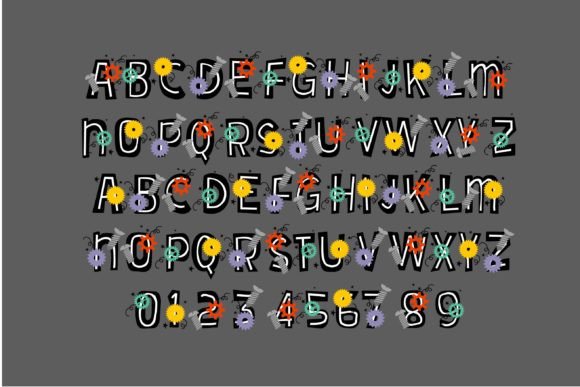
- Alt version with additional colors: The font comes with an alternate version that contains additional colors for all the letters, accessible through your system’s character map.
How to Install and Use Dad’s Nuts and Bolts Font
Installing Dad’s Nuts and Bolts Font is easy! OpenType full-color (SVG) fonts like this one can be installed like any normal .otf font. Here’s how:
Installation on Mac
Mac users can install the font using FontBook. Simply follow these steps:
- Download the font file.
- Open FontBook, which is usually located in the Applications/Utilities folder.
- Click on the “+” button at the bottom of the font list.
- Select the font file you downloaded.
- Click “Open” to install the font.
Installation on Windows
Windows users can install the font using their preferred font manager or the Control Panel. Here’s how:
- Download the font file.
- Open the Control Panel.
- Click on “Fonts” (in Windows 10/8) or “Fonts and Settings” (in Windows 7).
- Click on “File” and then “Install New Font”.
- Select the font file you downloaded.
- Click “OK” to install the font.
Compatibility and Troubleshooting
While Dad’s Nuts and Bolts Font is compatible with many popular design programs, it’s not compatible with all software. Here are a few things to keep in mind:
- Color fonts may show as black in non-compatible programs: If you’re using a program that doesn’t support color fonts, the font may appear as black.
- Color fonts may show as black in preview windows: Even if a program supports color fonts, the font may appear as black in the preview window.
- Check for compatibility with your design program: If you’re not sure whether your program supports color fonts, try typing out some text and see if it appears in color.
Programs That Support Dad’s Nuts and Bolts Font
Here are some popular design programs that support full-color SVG fonts like Dad’s Nuts and Bolts Font:
- Adobe products (e.g. Photoshop, Illustrator)
- Silhouette Studio
- Quark
- Inkscape
Dad’s Nuts and Bolts Font: Access Download Now
| Font Name | Dad’s Nuts and Bolts Font |
| Author | Illustration Ink |
| Download | Access Download Here |
Conclusion
Dad’s Nuts and Bolts Font is a fun and functional addition to any design toolbox. With its unique design and full-color capabilities, it’s perfect for a wide range of creative applications. Whether you’re a designer, crafter, or DIY enthusiast, this font is sure to inspire your next project. So why wait? Download Dad’s Nuts and Bolts Font today and start creating!