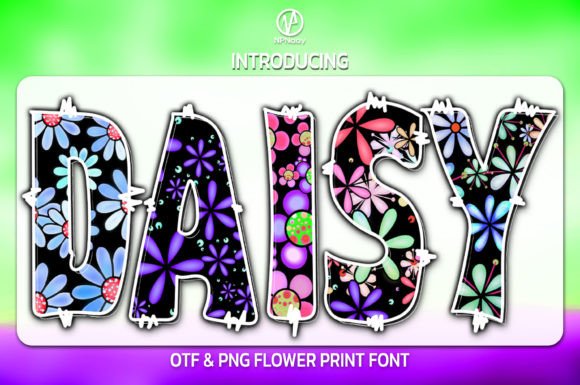
Daisy Font Free Download – Windows, Mac, Linux
Daisy Font: Add a Playful Touch to Your Designs
Are you looking for a font that embodies playfulness and joy? Look no further than the Daisy Font! This friendly daisy print color font is perfect for adding a jolly touch to any design project. In this article, we’ll take a closer look at the Daisy Font, its features, and how you can use it to elevate your designs.
📸 Font Preview Gallery
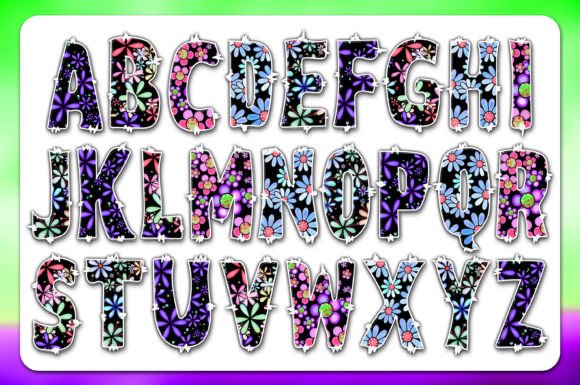
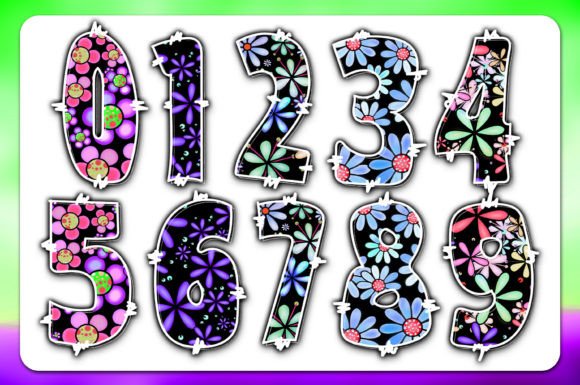
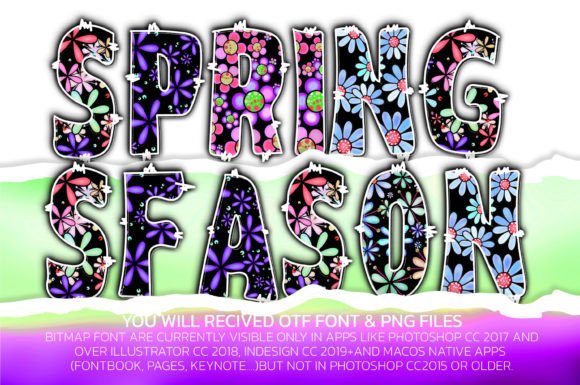
Commercial license included • Instant download • No registration required
What is Daisy Font?
Daisy Font is a unique and charming color font that features a delightful daisy print design. The font is an Opentype-SVG file, which means it’s a scalable vector graphic that can be used in various design software. The daisy print pattern is playful, cheerful, and perfect for designs that require a lighthearted touch.
Features of Daisy Font
- Playful design: The Daisy Font features a delightful daisy print pattern that’s sure to add a playful touch to any design.
- Color font: As an Opentype-SVG file, the Daisy Font is a color font that can be used in compatible design software.
- Wide compatibility: The Daisy Font is compatible with popular design software such as PhotoShop, Illustrator, Silhouette, and Inkscape.
How to Use Daisy Font
Using the Daisy Font is easy! Since it’s a color font, you’ll need to use design software that supports Opentype-SVG files. Here are some tips for getting started:
- Download and install: Download the Daisy Font files and install them on your computer.
- Choose your software: Open your preferred design software, such as PhotoShop or Illustrator.
- Select the font: Choose the Daisy Font from your font library and start designing!
Compatibility with Popular Design Software
The Daisy Font is compatible with a range of popular design software, including:
- PhotoShop: Use the Daisy Font to add a playful touch to your photo edits and manipulations.
- Illustrator: Create stunning vector graphics and illustrations with the Daisy Font.
- Silhouette: Use the Daisy Font to create custom vinyl decals, iron-on designs, and more.
- Inkscape: Create scalable vector graphics with the Daisy Font.
Important Note for Cricut Users
Please note that the OTF and/or TTF files of the Daisy Font are not compatible with Cricut. If you’re a Cricut user, don’t worry! You can still use the Daisy Font with Cricut, but you’ll need to follow some additional steps. Check out our Ultimate Font Guide for more information on how to use color fonts with Cricut.
Tips and Ideas for Using Daisy Font
The Daisy Font is a versatile font that can be used in a variety of design projects. Here are some tips and ideas to get you started:
- Party invitations: Use the Daisy Font to create playful and festive party invitations.
- Crafting projects: Add a personal touch to your crafting projects, such as scrapbooking, card making, and DIY decor.
- Branding and packaging: Use the Daisy Font to add a playful touch to your brand’s packaging and marketing materials.
- Social media graphics: Create eye-catching social media graphics with the Daisy Font.
Daisy Font: Access Download Now
| Font Name | Daisy Font |
| Author | NPNaay |
| Download | Access Download Here |
Conclusion
The Daisy Font is a charming and playful color font that’s perfect for adding a jolly touch to any design project. With its wide compatibility and easy-to-use design, you can create stunning designs with the Daisy Font. Whether you’re a designer, crafter, or DIY enthusiast, the Daisy Font is a great addition to your font library.