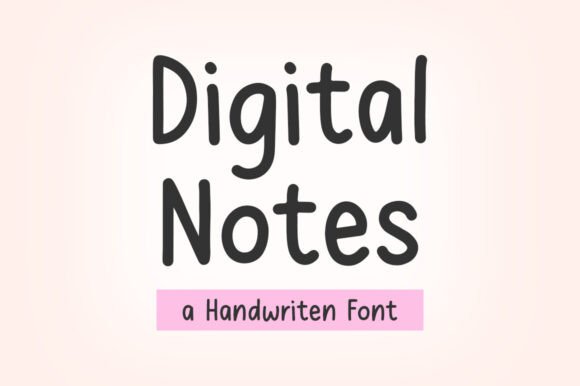
Digital Notes Font Free Download – Windows, Mac, Linux
Discover the Elegance of Digital Notes Font: Elevate Your Planning and Journaling
In the world of digital planning and journaling, the right font can make all the difference. It can add a touch of personality to your pages, make your text more readable, and enhance your overall creative expression. This is where the Digital Notes Font comes into play – a clean, simple, and elegant font designed specifically for journaling, to-do lists, and daily notes.
📸 Font Preview Gallery


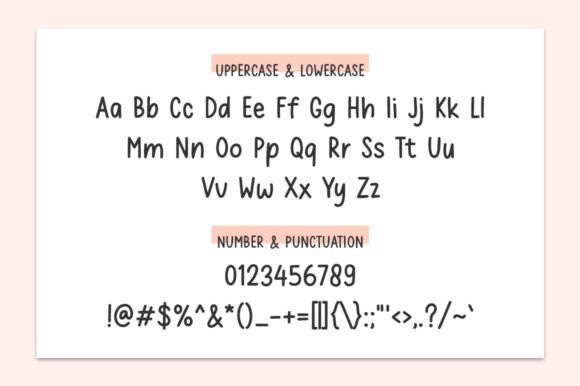
Commercial license included • Instant download • No registration required
What is Digital Notes Font?
Digital Notes Font is a thoughtfully crafted typeface that brings a sense of sophistication and clarity to your digital notes and plans. Its clean lines and simple design make it easy on the eyes, perfect for those who spend hours writing, planning, and journaling. Whether you’re a designer, a crafter, or someone who simply loves to stay organized, this font is designed to meet your needs.
Key Features of Digital Notes Font
- Clean and Simple Design: The font boasts a minimalist design that ensures your notes and plans are easy to read and understand.
- Elegant Touch: Despite its simplicity, the font adds a touch of elegance to your pages, making your digital notes and plans stand out.
- High Readability: The clear and straightforward design of the font makes it perfect for long notes, to-do lists, and journal entries.
- Versatile: Digital Notes Font is suitable for a wide range of applications, from digital planning and journaling to crafting and designing.
Benefits for Designers and Crafters
For designers and crafters, the right font is crucial for creating visually appealing and functional digital content. Digital Notes Font offers several benefits:
- Ease of Use: Its simplicity makes it easy to pair with other fonts and design elements, giving you more flexibility in your designs.
- Professional Look: The elegant design of the font can give your digital creations a professional and polished look.
- Customization: The clean design of the font makes it an excellent choice for custom digital planners, journals, and other craft projects.
How to Use Digital Notes Font
Incorporating Digital Notes Font into your digital planning or journaling routine is straightforward:
- Download and Install: Start by downloading the font and installing it on your computer or device.
- Choose Your Application: Whether you’re using a digital planning app, a journaling platform, or a design tool, select the Digital Notes Font as your text font.
- Customize Your Pages: Experiment with different sizes, colors, and combinations with other fonts to find the perfect look for your digital notes and plans.
Tips for Maximizing the Potential of Digital Notes Font
To get the most out of Digital Notes Font, consider the following tips:
- Mix and Match: Don’t be afraid to combine Digital Notes Font with other fonts to create visual interest and hierarchy in your notes and plans.
- Play with Sizes: Use different font sizes to emphasize important information or to create a structured layout.
- Experiment with Colors: While the font’s elegance shines in its default form, experimenting with colors can add a personal touch to your digital creations.
Digital Notes Font: Access Download Now
| Font Name | Digital Notes Font |
| Author | Suby Studio |
| Download | Access Download Here |
Conclusion
Digital Notes Font is more than just a typeface – it’s a tool that can elevate your digital planning and journaling experience. Its clean design, elegance, and readability make it an excellent choice for anyone looking to add a touch of sophistication to their notes, plans, and digital creations. Whether you’re a designer, a crafter, or simply someone who values organization and self-expression, Digital Notes Font is sure to become an indispensable part of your digital toolkit.
So why wait? Discover the elegance and functionality of Digital Notes Font today and transform your digital notes and plans into beautiful, easy-to-read, and inspiring content.