
Doodle Board Font Free Download – Windows, Mac, Linux
Doodle Board Font: Add a Personal Touch to Your Digital Planning
Are you tired of using the same old fonts in your digital planning? Do you want to add a personal touch to your daily, weekly, or monthly planners? Look no further than the Doodle Board Font, a hand-doodled font designed specifically for digital planning. In this article, we’ll explore the features and benefits of this unique font and how you can use it to take your digital planning to the next level.
📸 Font Preview Gallery
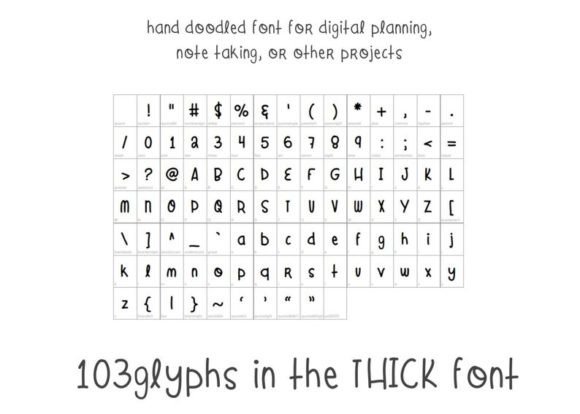
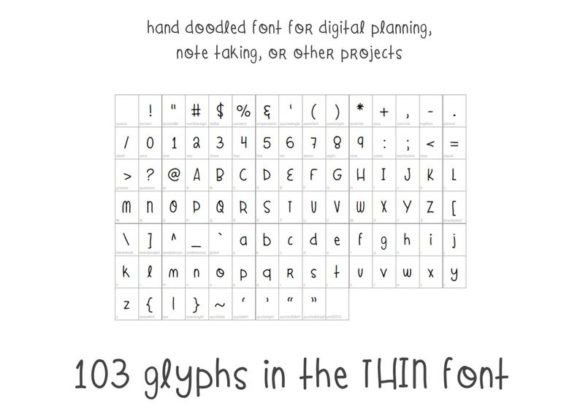
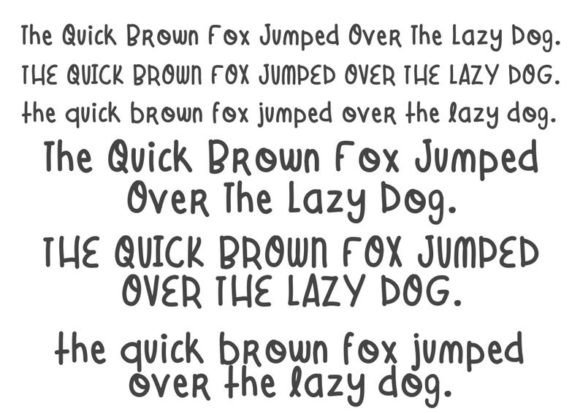
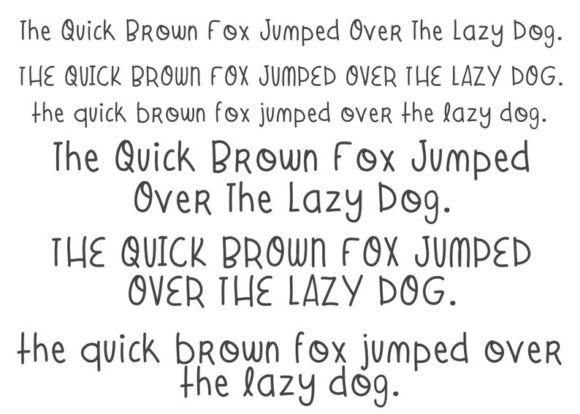
Commercial license included • Instant download • No registration required
What is Doodle Board Font?
Doodle Board Font is a hand-doodled font that is inspired by the traditional chalkboard look with a dash of doodle flair. This font is perfect for anyone who wants to add a fun and playful touch to their digital planning. The font is designed to mimic the look of hand-drawn doodles, making it perfect for creating a personal and unique planner.
Features of Doodle Board Font
- Hand-doodled design: The Doodle Board Font is designed to look like it was drawn by hand, giving it a personal and unique touch.
- Digital planning friendly: This font is specifically designed for digital planning, making it perfect for use on your computer, laptop, tablet, or phone.
- Chalkboard inspiration: The font is inspired by the traditional chalkboard look, but with a doodle twist.
- Printable stickers: The font would also look great as printed stickers for a physical planner, making it a versatile design.
Benefits of Using Doodle Board Font
So, why should you use the Doodle Board Font in your digital planning? Here are just a few benefits:
- Personal touch: The Doodle Board Font adds a personal touch to your digital planning, making it feel more like your own.
- Fun and playful: The font is fun and playful, making it perfect for anyone who wants to add some whimsy to their planning.
- Easy to read: Despite its doodled design, the font is easy to read, making it perfect for use in daily, weekly, or monthly planners.
- Versatile: The font can be used on a variety of devices, including computers, laptops, tablets, and phones.
How to Use Doodle Board Font
Using the Doodle Board Font is easy. Here are a few ways you can incorporate it into your digital planning:
- Digital planners: Use the font in your digital planners to add a personal touch.
- Printable stickers: Print out the font as stickers and use them in your physical planner.
- Journaling: Use the font in your digital journaling to add a fun and playful touch.
Tips for Designers and Crafters
If you’re a designer or crafter, here are a few tips for using the Doodle Board Font:
- Experiment with colors: The Doodle Board Font looks great in a variety of colors, so don’t be afraid to experiment.
- Mix and match: Mix and match the font with other fonts and designs to create a unique look.
- Use it in conjunction with other elements: Use the font in conjunction with other design elements, such as images or graphics, to create a visually appealing design.
Doodle Board Font: Access Download Now
| Font Name | Doodle Board Font |
| Author | Moe Howard |
| Download | Access Download Here |
Conclusion
The Doodle Board Font is a unique and fun font that is perfect for digital planning. With its hand-doodled design and chalkboard inspiration, it’s a great way to add a personal touch to your daily, weekly, or monthly planners. Whether you’re a designer, crafter, or simply someone who loves to plan, the Doodle Board Font is a great addition to your toolkit.