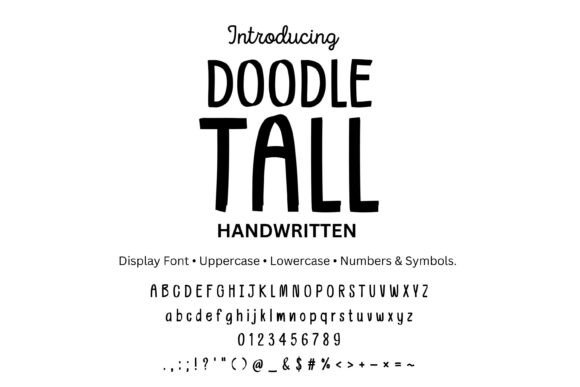
Doodletall Font Free Download – Windows, Mac, Linux
Doodletall Font: Elevate Your Designs with a Playful, Skinny Handwritten Display Font
Are you looking for a font that adds a touch of playfulness and whimsy to your designs? Look no further than Doodletall, a tall, skinny handwritten display font that’s perfect for a variety of creative projects. In this article, we’ll dive into the features and benefits of Doodletall, and explore how you can use it to take your designs to the next level.
📸 Font Preview Gallery
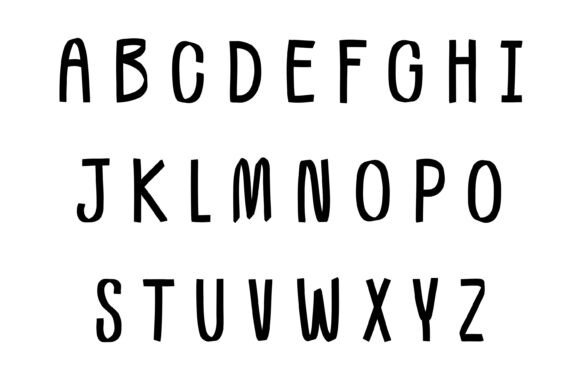
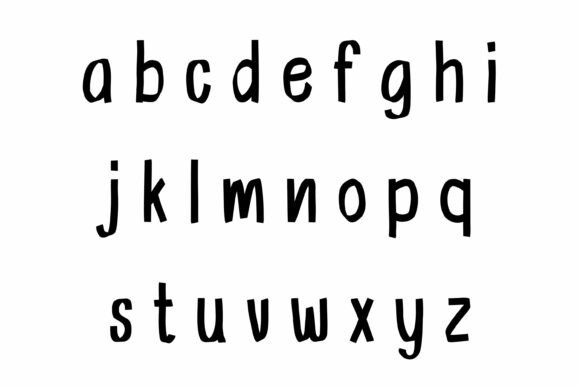
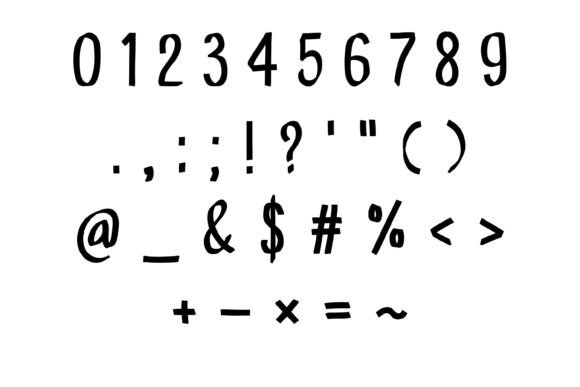

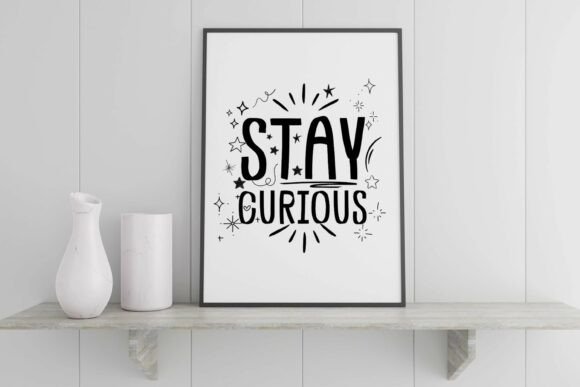
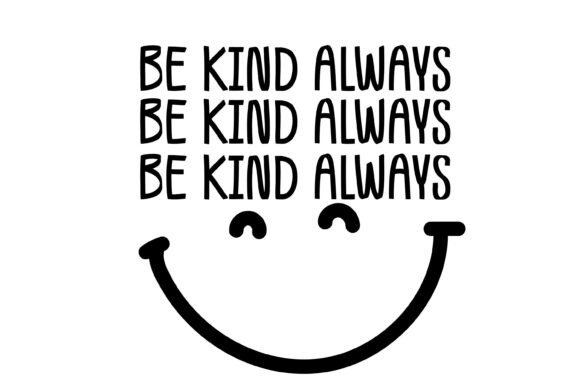
Commercial license included • Instant download • No registration required
What is Doodletall Font?
Doodletall is a unique, handcrafted font that’s designed to bring a sense of fun and energy to your designs. With its clean doodle vibe and skinny strokes, Doodletall is perfect for creating eye-catching posters, stickers, labels, and more. The font includes both uppercase and lowercase letters, numbers, and common punctuation symbols, giving you everything you need to create engaging and professional-looking designs.
Key Features of Doodletall Font
- Playful Skinny Strokes: Doodletall features playful, skinny strokes that give your designs a lighthearted and carefree feel.
- Clean Doodle Vibe: The font’s clean doodle style makes it perfect for creating designs that are both fun and sophisticated.
- Highly Legible: Despite its skinny strokes, Doodletall is highly legible, even at small sizes.
- Comprehensive Character Set: The font includes uppercase A-Z, lowercase a-z, numbers 0-9, and common punctuation/symbols.
- 2 Font Files: You’ll receive two font files (OTF & TTF) for easy installation and use.
What Can I Use Doodletall Font For?
Doodletall is a versatile font that can be used for a wide range of creative projects, including:
- Posters: Create eye-catching posters for kids’ events, classroom decor, or advertising.
- Stickers: Design fun and colorful stickers for parties, gifts, or promotional materials.
- Labels: Use Doodletall to create custom labels for school projects, crafts, or product packaging.
- Teacher Printables: Create engaging and educational printables for the classroom.
- Party Invites: Design playful and festive party invitations for kids’ birthday parties or other celebrations.
- Minimalist Branding: Use Doodletall to create simple, yet effective branding materials, such as logos or business cards.
Compatibility and Installation
Doodletall is compatible with a range of software and operating systems, including:
- Mac/Windows: Use Doodletall on both Mac and Windows computers.
- Adobe: Compatible with Adobe Creative Cloud apps, such as Photoshop and Illustrator.
- Affinity: Works seamlessly with Affinity apps, including Affinity Designer and Affinity Photo.
- Word/PowerPoint: Use Doodletall in Microsoft Office apps, such as Word and PowerPoint.
- Procreate: Compatible with Procreate’s text tool.
- Cricut Design Space: Works perfectly with Cricut’s cutting machines.
- Silhouette Studio: Compatible with Silhouette cutting machines.
- Canva: Supports uploaded fonts with Canva Pro.
Installation is easy:
- Download the font files.
- Unzip the files.
- Double-click the .otf file.
- Install the font.
Doodletall Font: Access Download Now
| Font Name | Doodletall Font |
| Author | Simple Font |
| Download | Access Download Here |
Conclusion
Doodletall is a unique and versatile font that’s perfect for designers, crafters, and educators looking to add a touch of playfulness to their designs. With its clean doodle vibe, skinny strokes, and comprehensive character set, Doodletall is an excellent choice for a wide range of creative projects. Whether you’re creating posters, stickers, labels, or branding materials, Doodletall is sure to elevate your designs and bring a smile to your audience’s faces.
So why wait? Download Doodletall today and start creating engaging, professional-looking designs that are sure to delight!