
Dotted Bundle Font Free Download – Windows, Mac, Linux
Introducing Dotted Bundle Font: Unleash Whimsy and Vibrancy in Your Designs
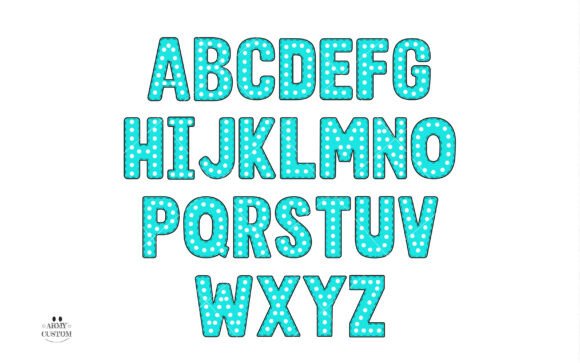
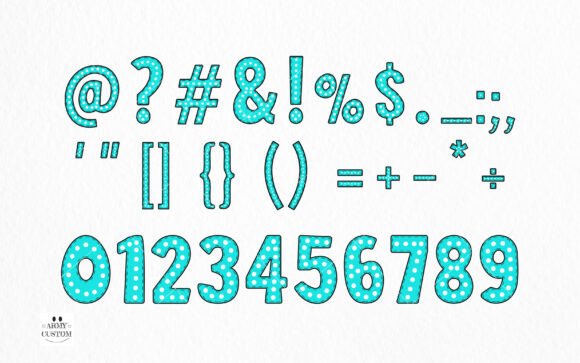
Are you tired of using the same old fonts in your creative projects? Look no further! We’re excited to introduce the Dotted Bundle font, a delightful mix of whimsy and vibrancy that’s sure to infuse your designs with an element of joy and playfulness. This enchanting color font is perfect for injecting charm into any cute theme endeavor, painting a canvas of creativity that leaps off the page.
📸 Font Preview Gallery

Commercial license included • Instant download • No registration required
What is Dotted Bundle Font?
Dotted Bundle font is a unique and captivating typeface that’s designed to add a touch of magic to your designs. With its playful and vibrant aesthetic, this font is ideal for crafters, designers, and anyone looking to add a dash of personality to their creative projects. Whether you’re working on a DIY craft, a branding project, or a digital design, Dotted Bundle font is sure to make your work stand out.
Key Features of Dotted Bundle Font
- Whimsical Design: Dotted Bundle font features a charming, hand-crafted design that’s full of personality and whimsy.
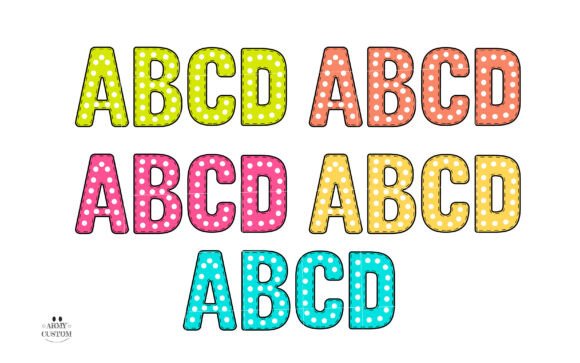
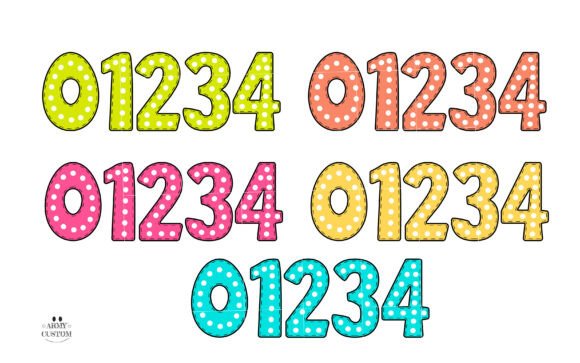
- Color Font: This font comes in a stunning color version that’s perfect for adding a pop of color to your designs.
- Black Version: A black version of the font is also available, making it compatible with Cricut Design Space and other cutting machines.
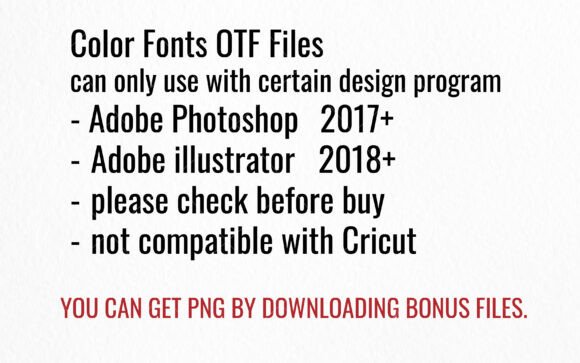
- Compatibility: The color version of the font is compatible with design programs like PhotoShop, Illustrator, Silhouette, and Inkscape.
Using Dotted Bundle Font with Cutting Machines
If you’re a crafter or DIY enthusiast who loves working with cutting machines, you’ll be happy to know that the black version of Dotted Bundle font is compatible with Cricut Design Space and other cutting machines. This makes it easy to incorporate this beautiful font into your projects, from paper crafts to vinyl designs.
However, if you’re looking to use the color version of the font, you’ll need to use design programs like PhotoShop, Illustrator, Silhouette, or Inkscape. The OTF and/or TTF files of the color version are not compatible with Cricut, so be sure to plan accordingly.
Tips for Using Dotted Bundle Font
To get the most out of Dotted Bundle font, here are a few tips to keep in mind:
- Experiment with Colors: Don’t be afraid to experiment with different color combinations to find the perfect look for your design.
- Mix and Match: Try pairing Dotted Bundle font with other fonts or design elements to create a unique and eye-catching look.
- Pay Attention to Size: Make sure to adjust the size of your text to ensure that it’s legible and visually appealing.
Getting Started with Dotted Bundle Font
Ready to unleash the power of Dotted Bundle font in your designs? Here’s how to get started:
- Download the Font: Simply download the Dotted Bundle font files from our website.
- Install the Font: Follow the installation instructions for your design program or cutting machine.
- Watch Our Ultimate Font Guide: For more information on how to use Dotted Bundle font, be sure to check out our Ultimate Font Guide, which provides step-by-step instructions and tips for getting the most out of this amazing font.
Dotted Bundle Font: Access Download Now
| Font Name | Dotted Bundle Font |
| Author | Army Custom |
| Download | Access Download Here |
Conclusion
Dotted Bundle font is a game-changer for designers and crafters looking to add a touch of whimsy and vibrancy to their creative projects. With its enchanting design, versatility, and compatibility with a range of design programs and cutting machines, this font is sure to become a favorite in your design arsenal. So why wait? Download Dotted Bundle font today and let your imagination take flight!