
Dreamsketch Bold Font Free Download – Windows, Mac, Linux
Dreamsketch Bold Font: The Ultimate Choice for Fun and Creative Designs
Are you looking for a font that can add a playful and whimsical touch to your designs? Look no further than Dreamsketch Bold, a chunky, hand-drawn bubble display font that’s perfect for kids’ logos, classroom printables, stickers, party invites, thumbnails, and crafty Cricut/Silhouette projects. In this article, we’ll explore the features and benefits of Dreamsketch Bold and why it’s a must-have for designers and crafters.
📸 Font Preview Gallery
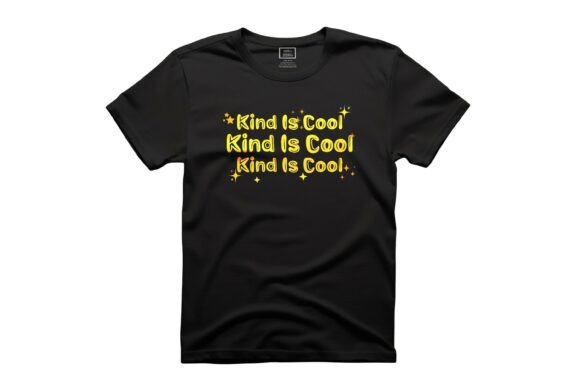
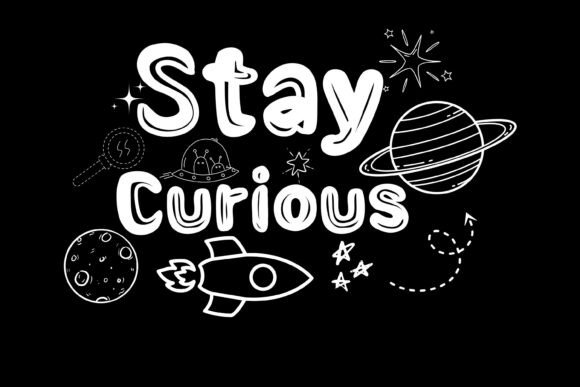
Commercial license included • Instant download • No registration required
What is Dreamsketch Bold?
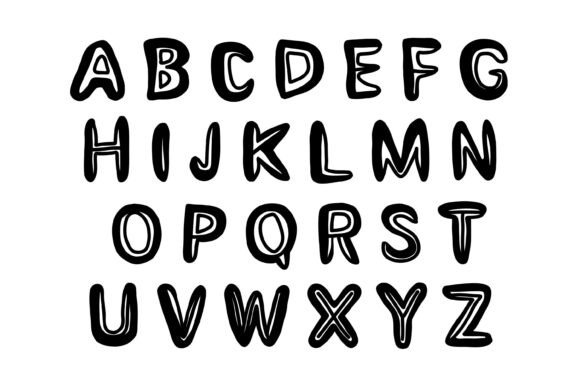
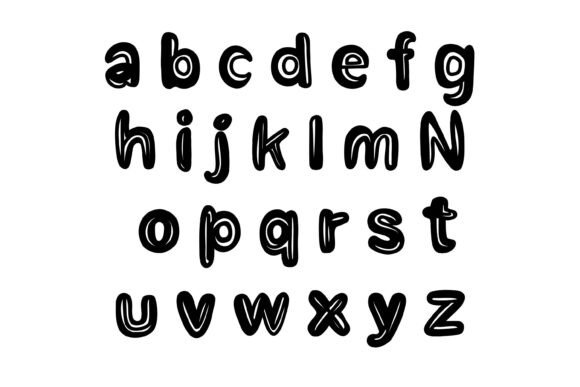
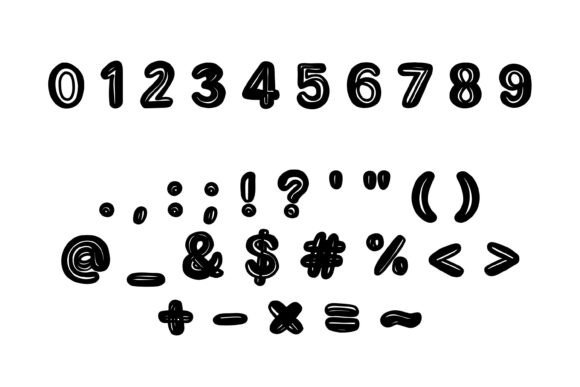
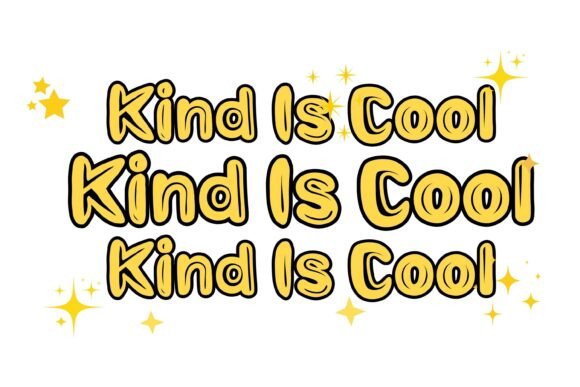
Dreamsketch Bold is a bold, bubbly font that’s designed to make a statement. Its chunky, hand-drawn style gives it a cute cartoon vibe that’s perfect for designs that need to be fun and engaging. The font features bold outlines, doodle handwriting, and a high-impact display style that reads great on stickers, tees, posters, and thumbnails.
Look and Feel
The look and feel of Dreamsketch Bold is what sets it apart from other fonts. Its bold, bubbly outlines give it a playful and energetic feel that’s perfect for designs that need to grab attention. The font’s doodle handwriting style adds a personal touch, making it feel like it was drawn by hand. The high-impact display style ensures that your designs will stand out, whether you’re creating stickers, posters, or thumbnails.
Great for
Dreamsketch Bold is a versatile font that’s great for a variety of design projects. Here are some ideas to get you started:
- Kids branding: Create fun and engaging logos for kids’ products or services.
- Birthday invites: Make your party invitations stand out with this bold and playful font.
- Classroom decor: Create educational posters, charts, and decorations that will engage and inspire students.
- Kawaii stickers: Design stickers that are perfect for laptops, water bottles, or journals.
- Packaging: Add a playful touch to your product packaging with Dreamsketch Bold.
- YouTube covers: Create eye-catching thumbnails that will grab viewers’ attention.
- Party signage: Make your party signs and banners stand out with this bold and colorful font.
Compatibility
Dreamsketch Bold is compatible with a wide range of devices and software, making it easy to use for designers and crafters. Here are some of the apps and software that support this font:
- Mac/Windows: Works with apps that install fonts, such as Adobe Creative Cloud, Affinity, Word, and PowerPoint.
- Procreate: Supports text tool with font installation.
- Cricut Design Space: Compatible with font installation.
- Silhouette Studio: Supports font installation.
- Canva: Supports uploaded fonts with Canva Pro.
Tips and Tricks
Here are some tips and tricks to help you get the most out of Dreamsketch Bold:
- Experiment with colors: Dreamsketch Bold looks great in bright, bold colors. Try experimenting with different color combinations to find the perfect look for your design.
- Mix and match: Combine Dreamsketch Bold with other fonts to create a unique and interesting look.
- Use it for titles: Dreamsketch Bold is perfect for titles and headings. Use it to add a bold and playful touch to your designs.
- Keep it simple: Don’t be afraid to keep your design simple and clean. Dreamsketch Bold can make a big impact even on its own.
Dreamsketch Bold Font: Access Download Now
| Font Name | Dreamsketch Bold Font |
| Author | Simple Font |
| Download | Access Download Here |
Conclusion
Dreamsketch Bold is a fun and versatile font that’s perfect for designers and crafters. Its bold, bubbly style and cute cartoon vibe make it ideal for kids’ logos, classroom printables, stickers, party invites, thumbnails, and crafty Cricut/Silhouette projects. With its wide range of compatibility and ease of use, Dreamsketch Bold is a must-have for anyone looking to add a playful touch to their designs.
So why wait? Download Dreamsketch Bold today and start creating fun and engaging designs that will stand out from the crowd!