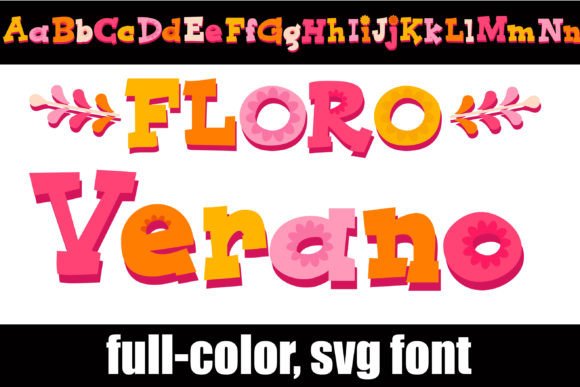
Floro Verano Font Free Download – Windows, Mac, Linux
Introducing Floro Verano Font: A Vibrant and Colorful Addition to Your Design Arsenal
Are you tired of using the same old fonts for your designs? Look no further! Floro Verano Font is a stunning full-color font that is sure to add a pop of color and personality to your projects. This chunky serif font is accented with beautiful flowers and features a vibrant summer color palette that is perfect for creating eye-catching titles, displays, posters, and more.
📸 Font Preview Gallery
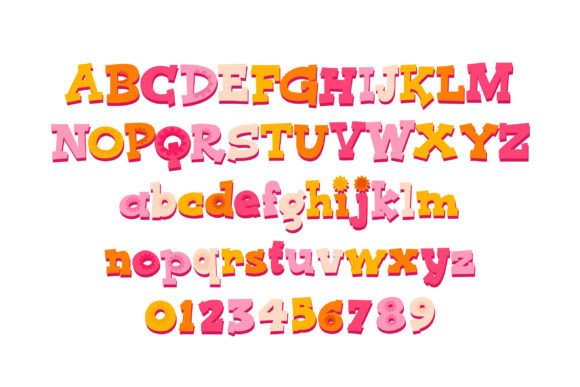
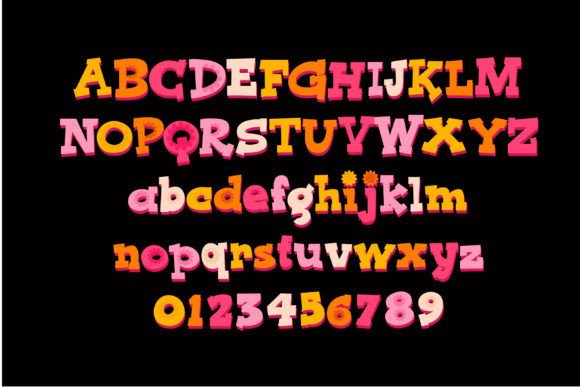
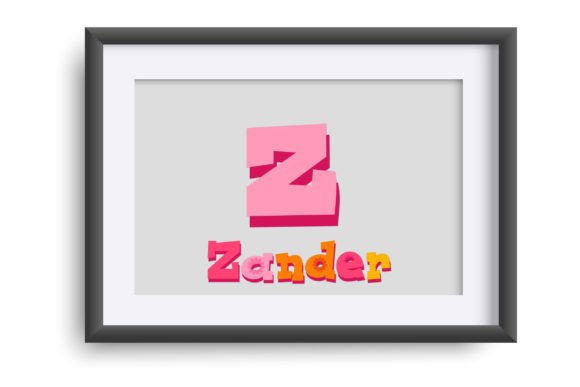


Commercial license included • Instant download • No registration required
What Makes Floro Verano Font So Special?
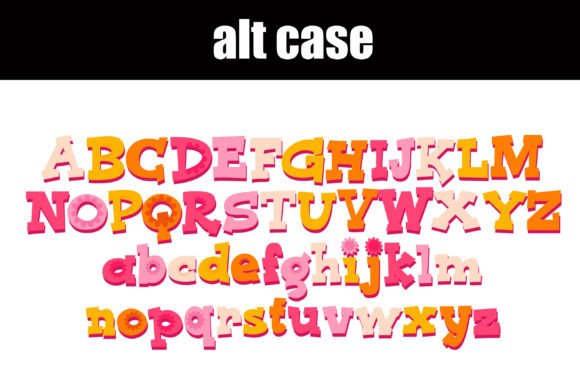
Floro Verano Font is not your average font. It’s a full-color OpenType font that features a unique and colorful design. The font includes an alternate case with additional colors that can be accessed through your system or Silhouette’s glyph map. This means you have even more creative possibilities at your fingertips.
How to Use Floro Verano Font
Floro Verano Font is compatible with Silhouette Studio, making it easy to use for crafters and designers who work with cutting machines. To install the font, simply follow the same steps as you would for any other .otf font. For Mac users, this typically involves using FontBook, while Windows users can use their preferred font manager or Control Panel.
Compatibility and Limitations
While Floro Verano Font is compatible with many popular design programs, it’s essential to note that color fonts may not display correctly in non-compatible programs. If you’re using a program that doesn’t support color fonts, you may see the font appear as black. However, many popular design programs, including Adobe products, Quark, and Inkscape, do support full-color SVG fonts.
Tips for Getting the Most Out of Floro Verano Font
To get the most out of Floro Verano Font, try using it for:
- Title pages and headings: The font’s bold and colorful design makes it perfect for grabbing attention and adding visual interest to your designs.
- Posters and flyers: Floro Verano Font is ideal for creating eye-catching posters and flyers that will stand out from the crowd.
- Social media graphics: Add a pop of color and personality to your social media graphics with Floro Verano Font.
- Craft projects: This font is perfect for crafters who want to add a personal touch to their projects, such as handmade cards, gift tags, and more.
How to Install and Access the Font
Installing Floro Verano Font is easy. Here’s a step-by-step guide:
- Download the font file from a reputable source.
- For Mac users, open FontBook and select “File” > “Add Fonts.” Navigate to the font file and select it.
- For Windows users, open the Control Panel and select “Fonts.” Drag and drop the font file into the Fonts folder.
- Once installed, you can access the font in your design program.
Troubleshooting Common Issues
If you’re experiencing issues with Floro Verano Font, here are a few common problems and solutions:
- The font appears as black: This may be due to your design program not supporting color fonts. Try opening the file in a different program or checking the program’s settings.
- The font is not showing up in my design program: Make sure the font is installed correctly and that your design program is compatible with OpenType fonts.
Floro Verano Font: Access Download Now
| Font Name | Floro Verano Font |
| Author | Illustration Ink |
| Download | Access Download Here |
Conclusion
Floro Verano Font is a unique and colorful addition to any designer’s arsenal. With its bold and vibrant design, this font is perfect for creating eye-catching titles, displays, posters, and more. Whether you’re a crafter, designer, or DIY enthusiast, Floro Verano Font is sure to inspire your creativity and take your designs to the next level.
So why wait? Download Floro Verano Font today and start adding a pop of color and personality to your designs!