
Glossy Amber Font Free Download – Windows, Mac, Linux
Introducing Glossy Amber Font: A Sweet Color Font for Creative Projects
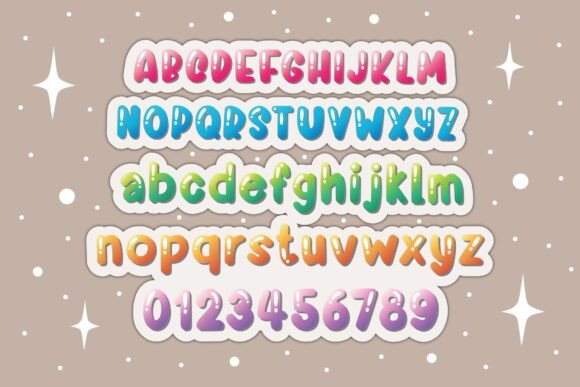
Are you looking for a font that adds a touch of warmth and sweetness to your designs? Look no further than Glossy Amber Font! This beautiful font is available in 7 different color tones, with a gray shadow that gives it a unique and eye-catching effect. In this article, we’ll explore the features of Glossy Amber Font, its compatibility with various design programs, and how you can use it to elevate your creative projects.
📸 Font Preview Gallery
Commercial license included • Instant download • No registration required
What is Glossy Amber Font?
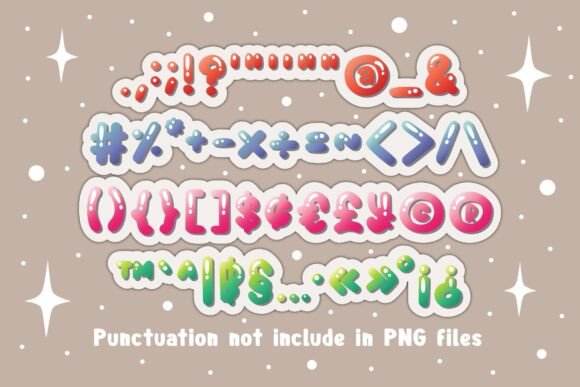
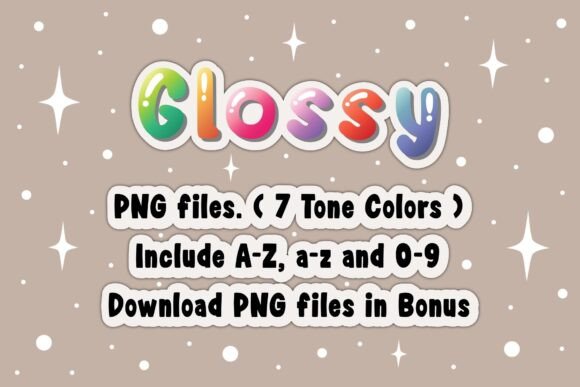
Glossy Amber Font is a color font that is perfect for designers and crafters who want to add a pop of color to their work. The font is available in 7 different color tones, ranging from bright and bold to soft and pastel. The gray shadow effect adds depth and dimension to the font, making it stand out from other fonts. Whether you’re working on a t-shirt design, social media post, or crafty DIY project, Glossy Amber Font is the perfect fit.
Key Features of Glossy Amber Font
- Available in 7 different color tones
- Gray shadow effect for added depth and dimension
- Perfect for t-shirt designs, social media posts, crafty DIY projects, and more
- Black version compatible with Cricut Design Space and other cutting machines
- Color version compatible with PhotoShop, Illustrator, Silhouette, and Inkscape
Compatibility with Design Programs
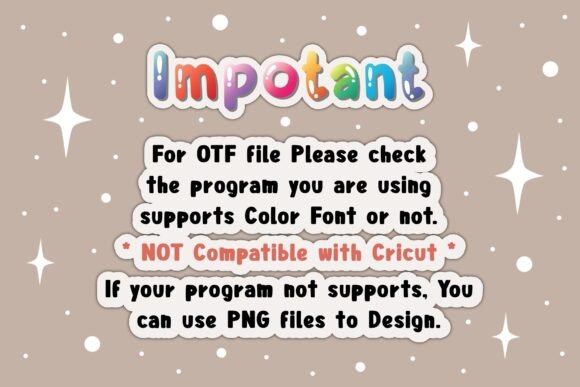
One of the things that sets Glossy Amber Font apart is its compatibility with various design programs. The black version of the font is compatible with Cricut Design Space and other cutting machines, making it perfect for crafters who use these tools. However, the color version of the font is only compatible with certain design programs, including PhotoShop, Illustrator, Silhouette, and Inkscape.
It’s worth noting that the OTF and/or TTF files of the color version are not compatible with Cricut. If you’re planning to use the color version with Cricut, you’ll need to use a different font or find a work-around. For more information on how to use this type of font, be sure to check out our Ultimate Font Guide.
Using Glossy Amber Font in Your Designs
Glossy Amber Font is a versatile font that can be used in a variety of creative projects. Here are a few ideas to get you started:
- T-shirt designs: Add a pop of color to your t-shirt designs with Glossy Amber Font.
- Social media posts: Use Glossy Amber Font to create eye-catching social media posts that stand out from the crowd.
- Crafty DIY projects: Add a personal touch to your crafty DIY projects, such as signs, cards, and invitations.
- Signs and banners: Use Glossy Amber Font to create colorful signs and banners for parties, events, and promotions.
Tips for Getting the Most out of Glossy Amber Font
Here are a few tips for getting the most out of Glossy Amber Font:
- Experiment with different color combinations: Try pairing Glossy Amber Font with different colors to create unique and eye-catching effects.
- Use it with other fonts: Combine Glossy Amber Font with other fonts to create interesting and dynamic text effects.
- Play with the gray shadow effect: Adjust the gray shadow effect to create different moods and atmospheres in your designs.
Glossy Amber Font: Access Download Now
| Font Name | Glossy Amber Font |
| Author | DREAMs Soul G. |
| Download | Access Download Here |
Conclusion
Glossy Amber Font is a beautiful and versatile color font that is perfect for designers and crafters who want to add a touch of warmth and sweetness to their designs. With its 7 different color tones and gray shadow effect, it’s the perfect fit for a variety of creative projects. Whether you’re working on a t-shirt design, social media post, or crafty DIY project, Glossy Amber Font is sure to impress. So why wait? Download Glossy Amber Font today and start creating!