Groovy Balloon Font Free Download – Windows, Mac, Linux
Introducing Groovy Balloon: The Ultimate Font for Playful Celebrations
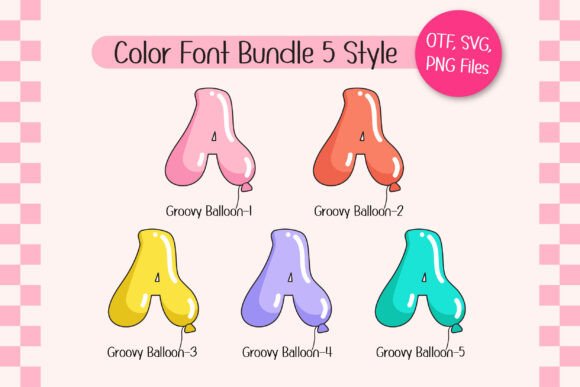
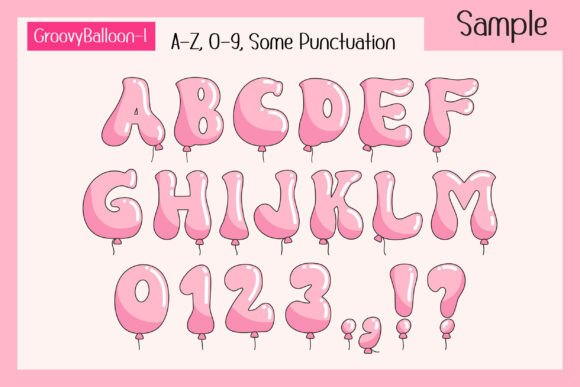
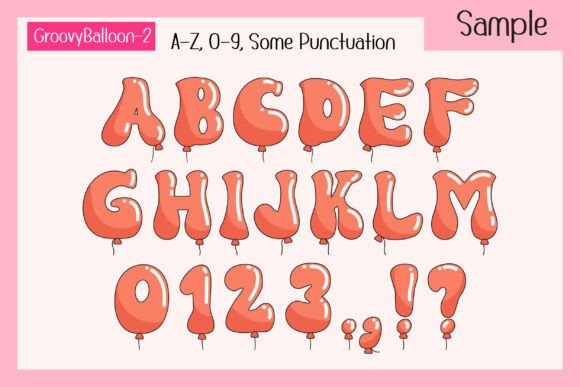
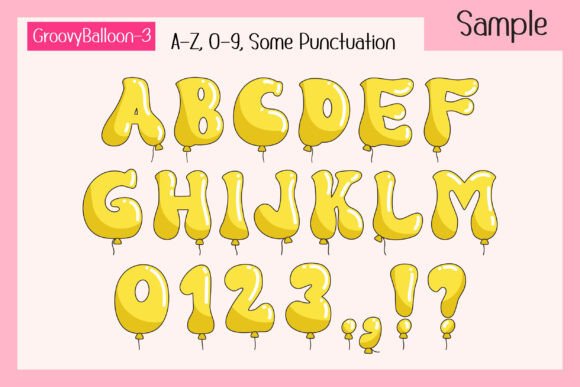
Are you looking for a font that adds a playful and vibrant touch to your designs? Look no further than Groovy Balloon, a fun and lively font that combines a groovy style with colorful balloon shapes. This cheerful font set is perfect for any party theme, making it ideal for party posters, birthday decorations, New Year party decor, T-shirts, branding, custom DIY craft projects, quotes, personalized names, and more.
📸 Font Preview Gallery
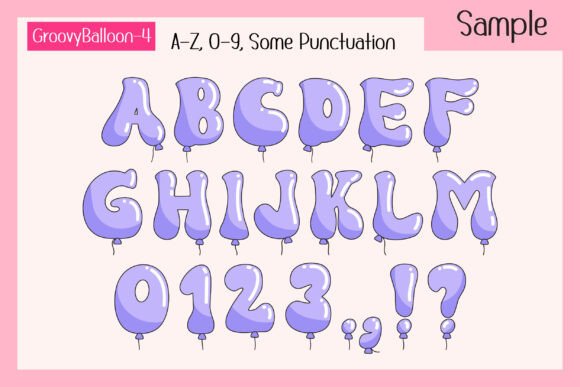
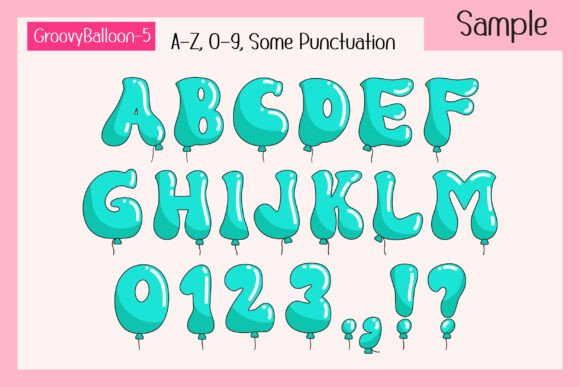
Commercial license included • Instant download • No registration required
What Makes Groovy Balloon Special?
Groovy Balloon is not just a font, it’s a celebration in itself. The font set consists of 5 colorful font styles, each one more vibrant and playful than the last. But that’s not all – it also comes with 25 bonus matching clip arts, giving you endless possibilities for creative expression. Whether you’re a designer, crafter, or DIY enthusiast, Groovy Balloon has everything you need to create stunning and festive designs.
Perfect for Party Themes and Celebrations
Groovy Balloon is designed to add a festive and lively touch to your designs, making it the perfect choice for all your celebratory events. From birthday parties to New Year’s Eve celebrations, this font is sure to bring a smile to everyone’s face. The colorful font styles and matching clip arts can be used to create eye-catching party posters, decorations, and DIY craft projects that will make your event stand out.
Compatibility and Usage
Groovy Balloon is compatible with a range of design programs, including PhotoShop, Illustrator, Silhouette, and Inkscape. However, it’s essential to note that the color version of this font is only compatible with certain design programs, and the OTF and/or TTF files are not compatible with Cricut Design Space. The black version of the font, on the other hand, is compatible with Cricut Design Space and other cutting machines.
Tips for Using Groovy Balloon
To get the most out of Groovy Balloon, here are a few tips:
- Use the font to create eye-catching party posters and decorations that will grab everyone’s attention.
- Pair the font with matching clip arts to add an extra layer of creativity to your designs.
- Experiment with different font styles and colors to create unique and personalized designs.
- Use the black version of the font for cutting machines, and the color version for digital designs.
How to Use Groovy Balloon with Cricut Design Space
If you’re a Cricut user, you’ll be happy to know that the black version of Groovy Balloon is compatible with Cricut Design Space. Here’s how to use it:
- Download the black version of Groovy Balloon from our website.
- Upload the font to Cricut Design Space.
- Use the font to create your design, and cut out your project using your Cricut machine.
How to Use Groovy Balloon with Other Design Programs
If you’re using a design program other than Cricut Design Space, here’s how to use Groovy Balloon:
- Download the color version of Groovy Balloon from our website.
- Install the font on your computer.
- Open your design program, and select Groovy Balloon as your font.
- Use the font to create your design, and save it in your preferred format.
Groovy Balloon Font: Access Download Now
| Font Name | Groovy Balloon Font |
| Author | Issie_Studio |
| Download | Access Download Here |
Conclusion
Groovy Balloon is the ultimate font for playful celebrations. With its 5 colorful font styles and 25 bonus matching clip arts, it’s the perfect choice for party posters, birthday decorations, New Year party decor, T-shirts, branding, custom DIY craft projects, quotes, personalized names, and more. Whether you’re a designer, crafter, or DIY enthusiast, Groovy Balloon has everything you need to create stunning and festive designs. So why wait? Download Groovy Balloon today and start creating!
FAQs
- What file formats does Groovy Balloon come in?
- Groovy Balloon comes in OTF and/or TTF file formats.
- Is Groovy Balloon compatible with Cricut Design Space?
- The black version of Groovy Balloon is compatible with Cricut Design Space, but the color version is not.
- Can I use Groovy Balloon for commercial projects?
- Yes, Groovy Balloon can be used for commercial projects, but please check our licensing terms and conditions first.