
Halloween Font Free Download – Windows, Mac, Linux
Unleash the Spooky Spirit with Halloween Font: A Comprehensive Guide
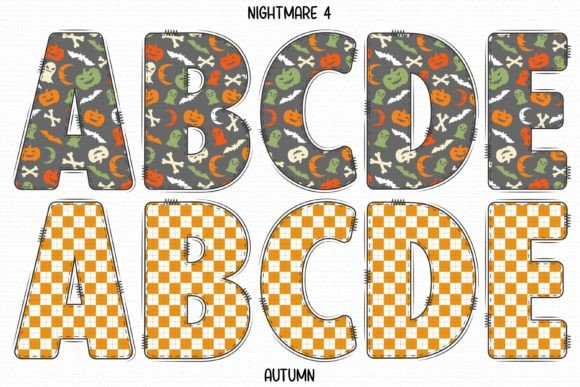
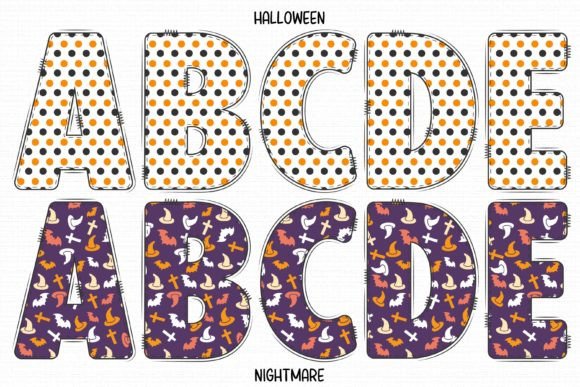
Halloween is just around the corner, and what better way to get into the spirit than with a spook-tacular font that screams creativity and fun? Look no further than the Halloween Font, a cute and fun Halloween-styled detailed colored font that’s perfect for a variety of projects. In this article, we’ll dive into the world of Halloween Font, exploring its features, uses, and compatibility with popular design programs.
📸 Font Preview Gallery
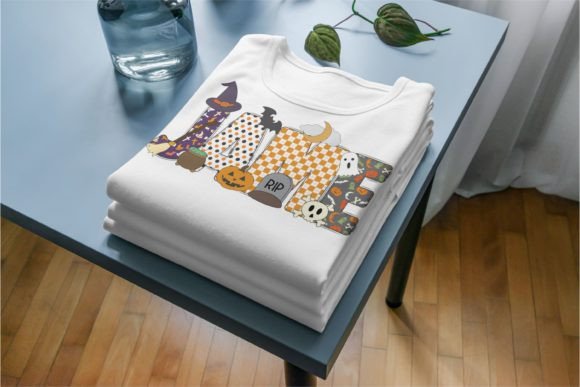
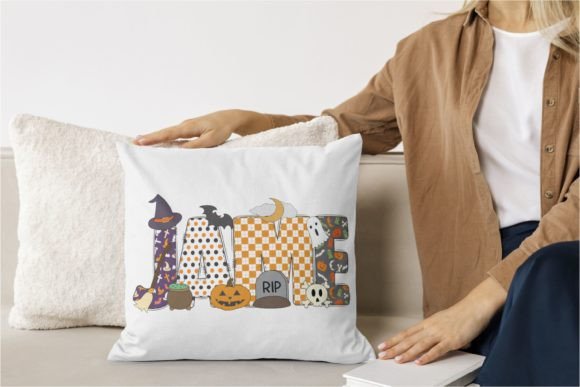
Commercial license included • Instant download • No registration required
What is Halloween Font?
Halloween Font is a unique and eye-catching font that’s designed to capture the essence of Halloween. With its intricate details and colorful design, this font is sure to make your projects stand out from the crowd. Whether you’re working on a Halloween-themed invitation, a horror-inspired art piece, or a cute and spooky craft project, Halloween Font is the perfect choice.
Key Features of Halloween Font
- Cute and Fun Design: Halloween Font boasts a playful and whimsical design that’s perfect for creating spooky yet adorable projects.
- Detailed Colored Font: This font features intricate details and a vibrant color scheme that will add a pop of color to your designs.
- Versatile: Halloween Font can be used for a wide range of projects, from Halloween and horror-themed designs to cute and playful crafts.
Compatibility with Design Programs
One of the best things about Halloween Font is its compatibility with various design programs. However, it’s essential to note that the color version of this font has some limitations.
Black Version Compatibility
The black version of Halloween Font is compatible with:
- Cricut Design Space
- Other cutting machines
This makes it an excellent choice for crafters who use Cricut machines or other cutting machines for their projects.
Color Version Compatibility
The color version of Halloween Font is compatible with:
- PhotoShop
- Illustrator
- Silhouette
- Inkscape
However, it’s crucial to note that the OTF and/or TTF files of the color version are not compatible with Cricut Design Space. If you’re a Cricut user, you can still use the black version of the font, which works seamlessly with Cricut Design Space.
Tips for Using Halloween Font
To get the most out of Halloween Font, here are some tips to keep in mind:
- Experiment with Colors: While the black version of the font is perfect for cutting machines, the color version offers a wide range of creative possibilities. Experiment with different colors and combinations to create unique designs.
- Pair with Other Fonts: Halloween Font can be paired with other fonts to create a unique and eye-catching design. Try pairing it with a bold font for a striking contrast.
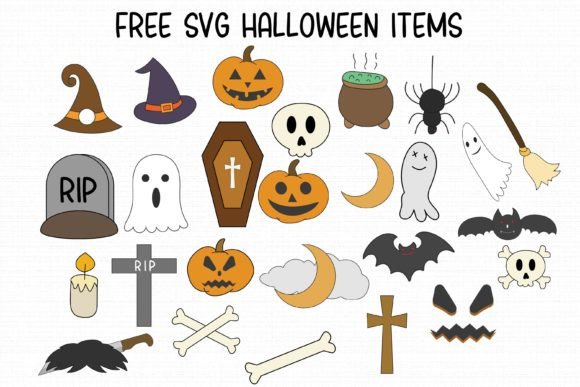
- Use in Combination with Images: Halloween Font can be used in combination with images to create stunning designs. Try using it with Halloween-themed images, such as pumpkins, ghosts, or bats.
Getting Started with Halloween Font
Ready to unleash the spooky spirit with Halloween Font? Here’s how to get started:
- Download the Font: Head to our website and download the Halloween Font file.
- Install the Font: Follow the installation instructions for your design program of choice.
- Check Our Ultimate Font Guide: For more information on how to use Halloween Font, especially the color version, check out our Ultimate Font Guide.
In conclusion, Halloween Font is a versatile and fun font that’s perfect for designers and crafters looking to add a spooky touch to their projects. With its cute and detailed design, compatibility with various design programs, and tips for use, this font is sure to become a favorite in your design arsenal.
Halloween Font: Access Download Now
| Font Name | Halloween Font |
| Author | Doodle Alphabet |
| Download | Access Download Here |