
Handy Labels Font Free Download – Windows, Mac, Linux
Introducing Handy Labels Font: A Versatile Dingbat Font for Designers and Crafters
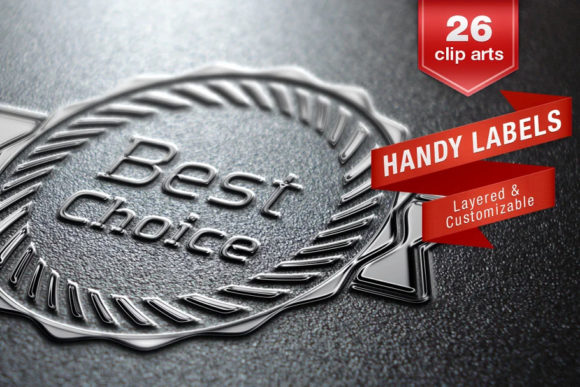
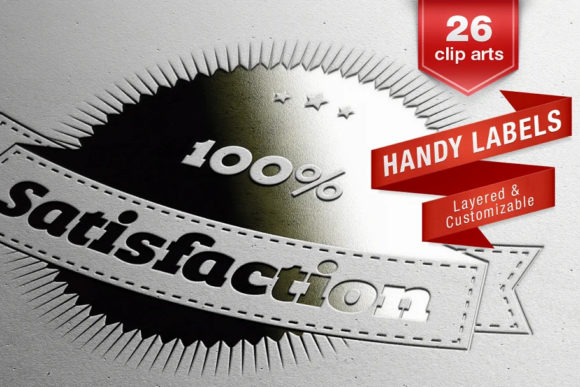
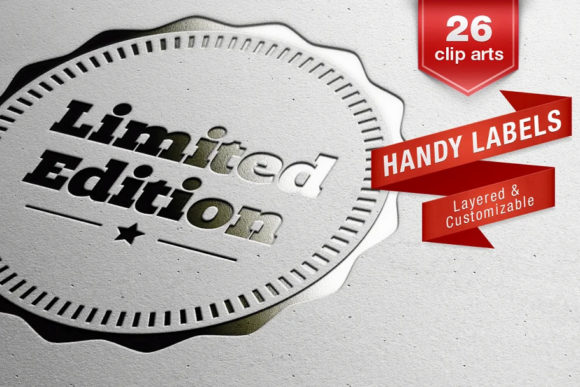
Are you a designer or crafter looking for a creative way to add labels and tags to your projects? Look no further than the Handy Labels Font, a dingbat font family designed by Juraj Chrastina. This versatile font family includes three styles and 26 customizable vector clip arts, making it perfect for creating endless tags, shopping sale designs, discounts, and more.
📸 Font Preview Gallery
Commercial license included • Instant download • No registration required
What is Handy Labels Font?
Handy Labels Font is a unique dingbat font family that consists of 26 different layered and customizable vector clip arts. These clip arts are accessible through a set of three fonts, each containing 52 glyphs. The font is designed to be easy to use, allowing you to create professional-looking labels and tags without requiring a vector graphics editor or extensive design experience.
Key Features of Handy Labels Font
- Three font styles: Handy Labels Font comes with three font styles, each with its own unique characteristics. The basic font contains 26 ready-made labels with text, while the Handy Labels Frames and Handy Labels Texts fonts offer empty labels and text elements that can be customized to suit your needs.
- 26 customizable vector clip arts: The font family includes 26 different layered and customizable vector clip arts, giving you endless possibilities for creating unique labels and tags.
- Easily accessible through a set of 3 fonts: Each font contains 52 glyphs, making it easy to access and use the various clip arts and text elements.
- No vector graphics editor required: You can use the Handy Labels Font without a vector graphics editor, making it easy to create professional-looking labels and tags even if you’re not a design expert.
- Endless creative possibilities: With the Handy Labels Font, you can create endless tags, shopping sale designs, discounts, and more, making it perfect for designers, crafters, and small business owners.
How to Use Handy Labels Font
Using the Handy Labels Font is easy, even if you’re not a design expert. Here’s a step-by-step guide to get you started:
- Choose your font style: Select one of the three font styles that best suits your needs. The basic font contains 26 ready-made labels with text, while the Handy Labels Frames and Handy Labels Texts fonts offer empty labels and text elements.
- Type in your text: Simply type in your text, and the font will automatically generate a label or tag. You can use the upper case letters to access the ready-made labels, or the lower case letters to create your own custom labels.
- Customize your label: Use the various font styles and clip arts to customize your label or tag. You can change the text, color, and design to suit your needs.
- Convert to vector outlines: If you want to edit your label or tag further, you can convert the font to vector outlines, giving you unlimited editing possibilities.
Benefits for Designers and Crafters
The Handy Labels Font offers numerous benefits for designers and crafters, including:
- Saves time: With the Handy Labels Font, you can create professional-looking labels and tags in minutes, saving you time and effort.
- Increases creativity: The font’s versatility and customization options allow you to express your creativity and bring your ideas to life.
- Perfect for small businesses: The Handy Labels Font is ideal for small business owners who want to create professional-looking labels and tags for their products or marketing materials.
- Great for crafters: The font is also perfect for crafters who want to add a personal touch to their projects, such as handmade cards, scrapbooking, or DIY crafts.
Handy Labels Font: Access Download Now
| Font Name | Handy Labels Font |
| Author | Juraj Chrastina |
| Download | Access Download Here |
Conclusion
In conclusion, the Handy Labels Font is a versatile and easy-to-use dingbat font family that offers endless creative possibilities for designers and crafters. With its three font styles, 26 customizable vector clip arts, and ease of use, it’s perfect for creating professional-looking labels and tags for various projects. Whether you’re a designer, crafter, or small business owner, the Handy Labels Font is a valuable addition to your design toolkit.